When interacting with third-party protocols or auditors, you may be asked to prove that you control a given EVM address without moving any funds. Common scenarios include protocol onboarding, institutional audits and OTC arrangements.
Rather than relying on a test transaction - which is inefficient and leaves an on-chain trace - the standard approach is to sign an arbitrary message with the private key of the address in question. Because only the holder of the private key can produce a valid signature, a successful verification is cryptographic proof of ownership.
This guide demonstrates how to do this using Fordefi and Etherscan's Verified Signature tool. You have two options for how to share the result with the verifier:
- Publish the signed message to Etherscan and share the public URL.
- Share privately by sending your wallet address, message, and signature hash directly to the verifier.
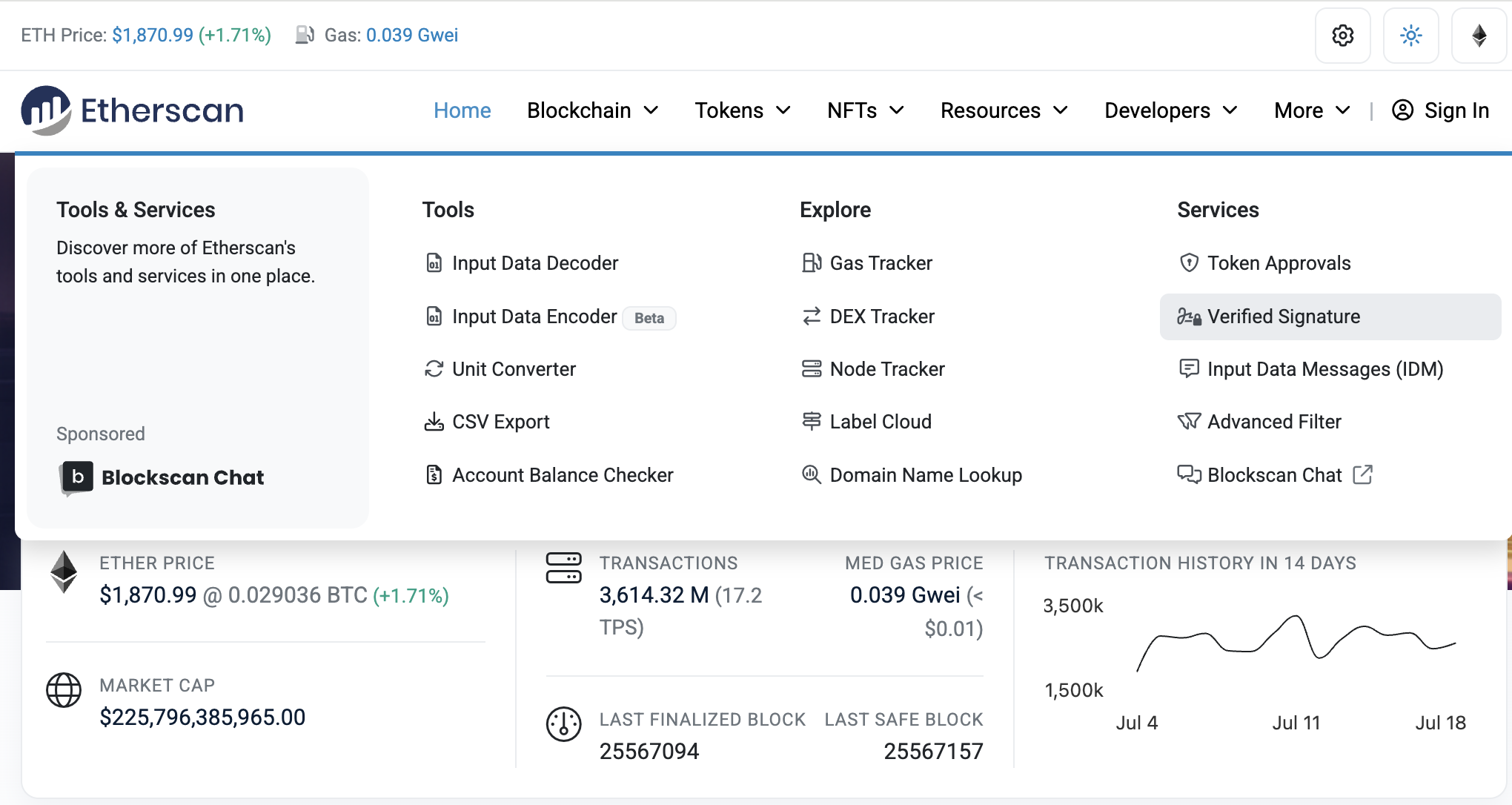
Go to Etherscan. Open the Verify Signature tool by selecting More > Verified Signature from the menu options:
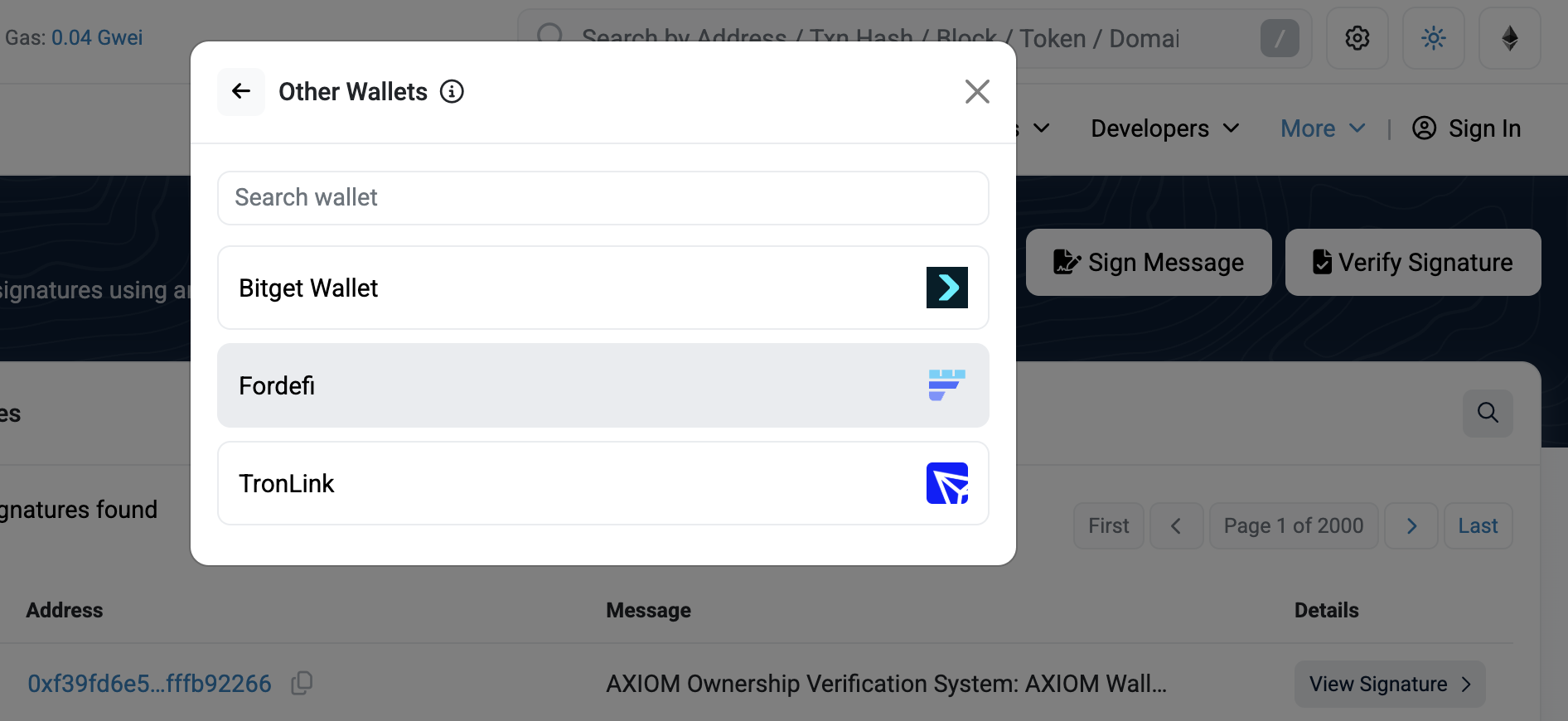
Click Sign Message then, for the connection option, select Other Wallets > Fordefi:
Type in your message and click Sign.
Sign the message with Fordefi.
You will then be presented with two sharing options.
Click Publish to publish the signed message to Etherscan:
Publishing makes your message permanently and publicly visible on Etherscan. Do not publish if your message contains any PII or sensitive information.
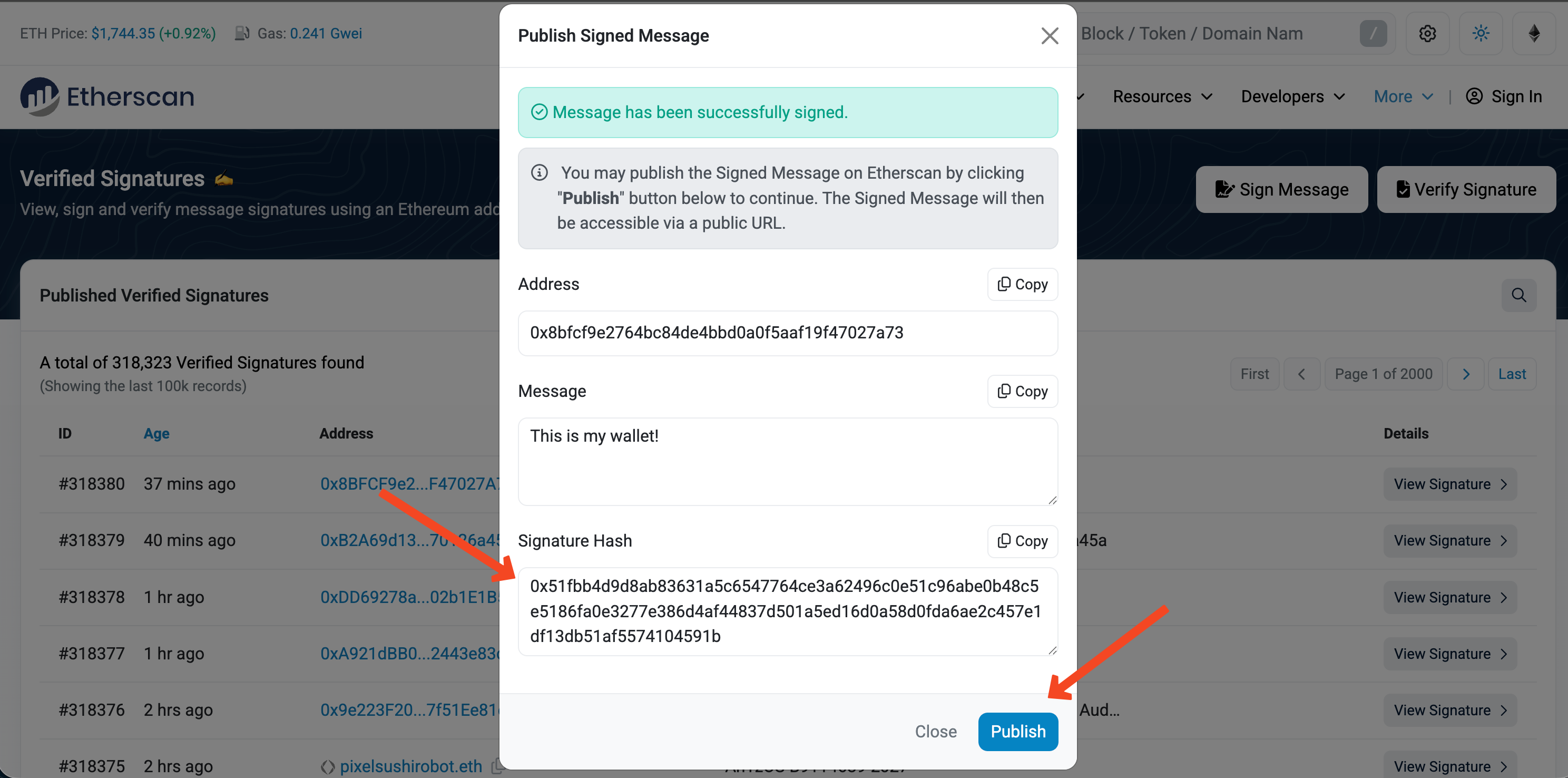
You can then share the resulting public URL with the verifier:
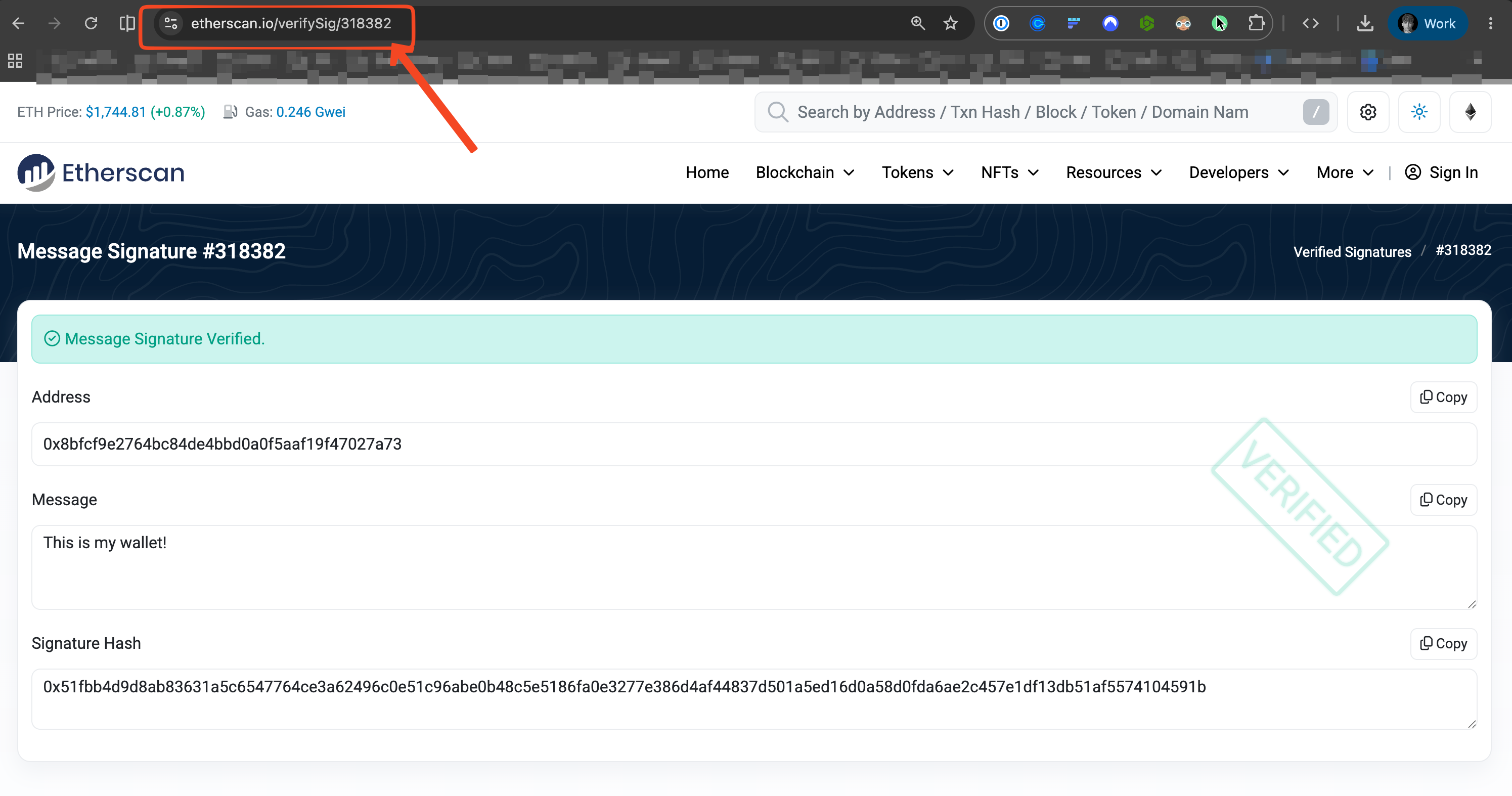
The verifier now has cryptographic proof of ownership over that EVM address.
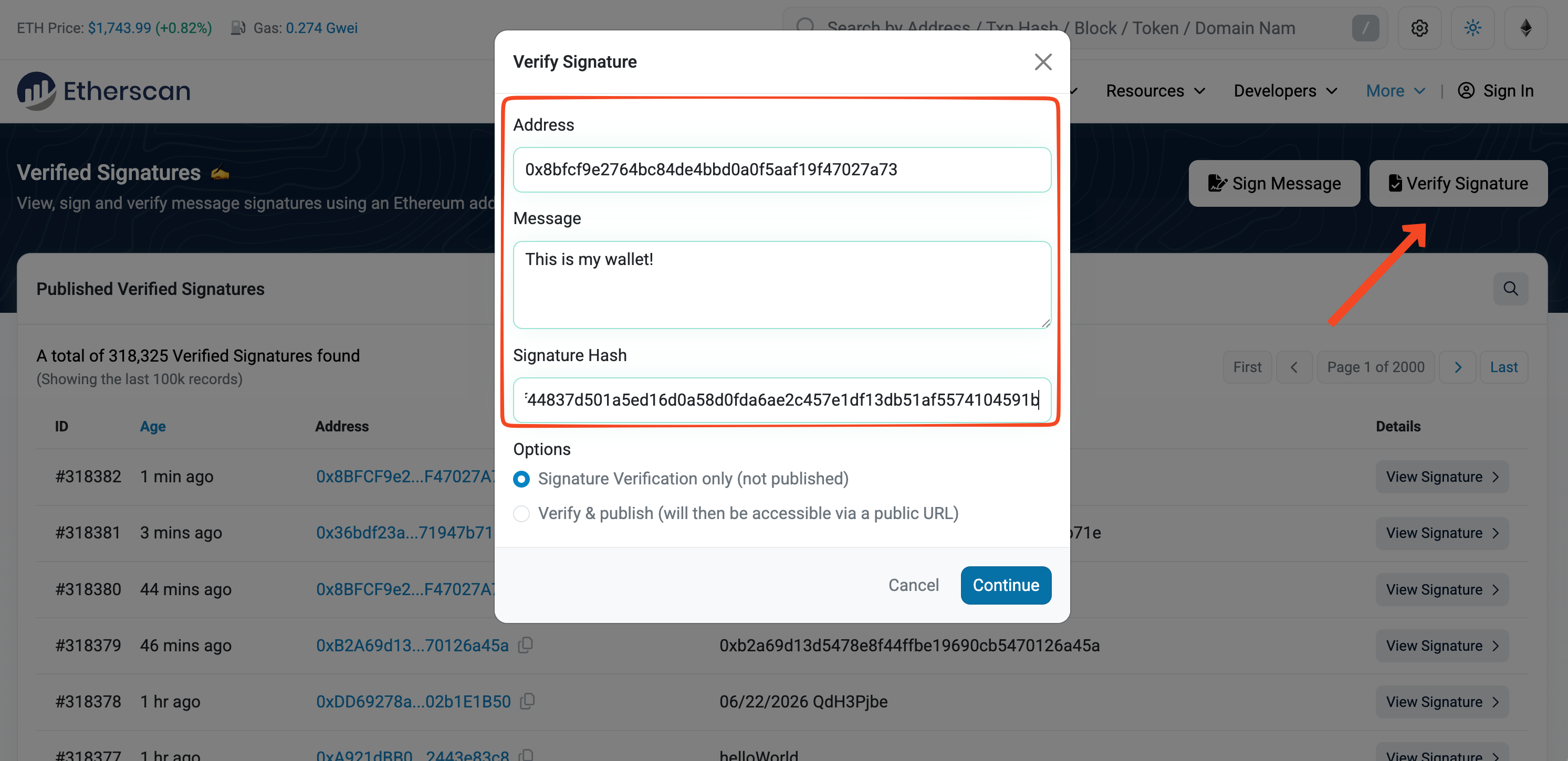
If you prefer not to publish the message, share the following fields directly with the verifier, instead:
- Wallet Address
- Message
- Signature Hash
The verifier can confirm your ownership using these fields in the Verify Signature tool: