Fordefi connects to qualified custody at Paxos Trust Company, N.A. Your assets stay in custody at Paxos, and you manage them from Fordefi with your existing policies, approvals and audit log.
All the Paxos custody accounts connected to your Fordefi workspace appear in the Custody tab of the Connected Accounts screen, with their balances and assets.
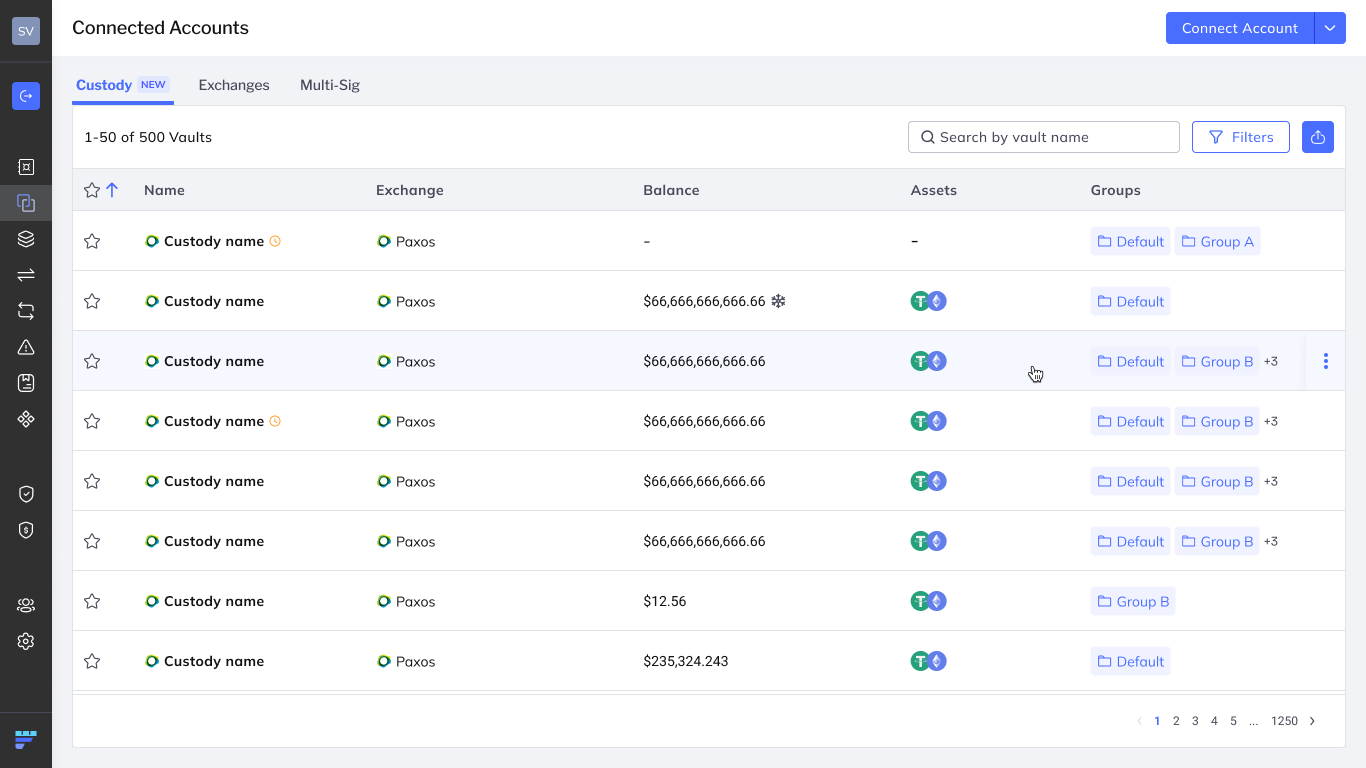
Each Paxos profile you connect becomes a custody vault in Fordefi. A custody vault works much like an exchange vault:
- Balances: Fordefi fetches balances from Paxos periodically and shows them in the vault list and on the vault page.
- Transfers: You move funds in and out of custody with Fordefi's existing Transfer UI and API. Your policies apply, and Paxos executes the transfer.
- Governance: Connecting a custody vault requires admin quorum approval. Connect, update and disconnect events are recorded in the audit log.
Sub-accounts
Paxos custody does not support sub-accounts.
| Term | Meaning |
|---|---|
| Paxos custody account | Your account at Paxos, created through Paxos onboarding and KYC. It owns all custody balances. |
| Paxos profile | A subdivision of a Paxos custody account that separates balances and activity. It is not a separate legal entity. |
| Custody vault | The Fordefi vault for one Paxos profile. Balances are not combined across custody vaults. |
Each Paxos profile is a standalone custody vault. Unlike exchange sub-accounts, a profile can transfer funds in and out directly.
- Admins: Connect, disconnect and rename custody vaults, and set their vault groups.
- Traders: View custody vaults and their balances, and create transfers subject to policy. Traders can't change integration credentials or connect accounts.
- Only Paxos custody is supported. Other Paxos products are not.
- Fordefi shows only transactions made through Fordefi. Deposits and transfers made outside Fordefi don't appear in the custody vault's history.