Click Assets in the sidebar of the web console to see an overview of the assets that your organization owns.
Assets are digital assets that have value and can be traded.
"Assets", in general, refer to the assets that are supported by Fordefi and can be held by an organization.
"Owned assets" reflects the balance of specific assets that are owned by an organization.
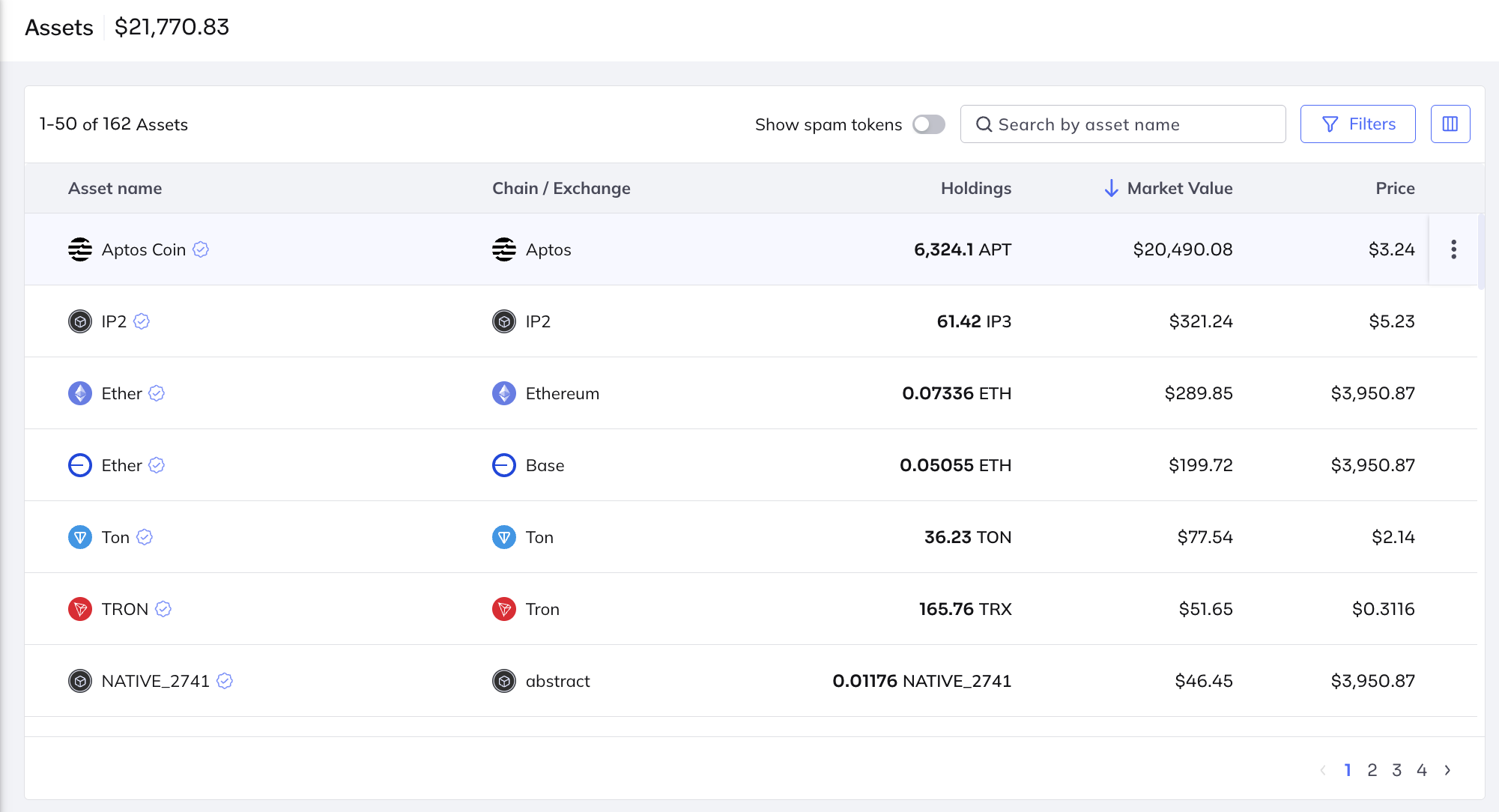
In the Assets dashboard, you can view the following:
- The value of the entire portfolio.
- The chain, real-time market value, holding amount, and current market value of each asset.
Fordefi keeps a list of known tokens to help users distinguish between real and fake ones. For example, when you interact with the official USDC, those tokens are shown as verified, whereas fake USDC tokens are not. In the example shown above, all six tokens have been verified as authentic and are marked with a blue checkmark.
You can perform the following operations on assets: