This page provides examples of the approval mechanisms your organization might need and how to set policies to enable them.
There are more specific samples in these pages:
To enable organizations to start working quickly, Fordefi's factory policy settings require no approvals at all. As early as possible, you should change this default setting -- at the very least, by requiring that every transaction be approved by two approvers.
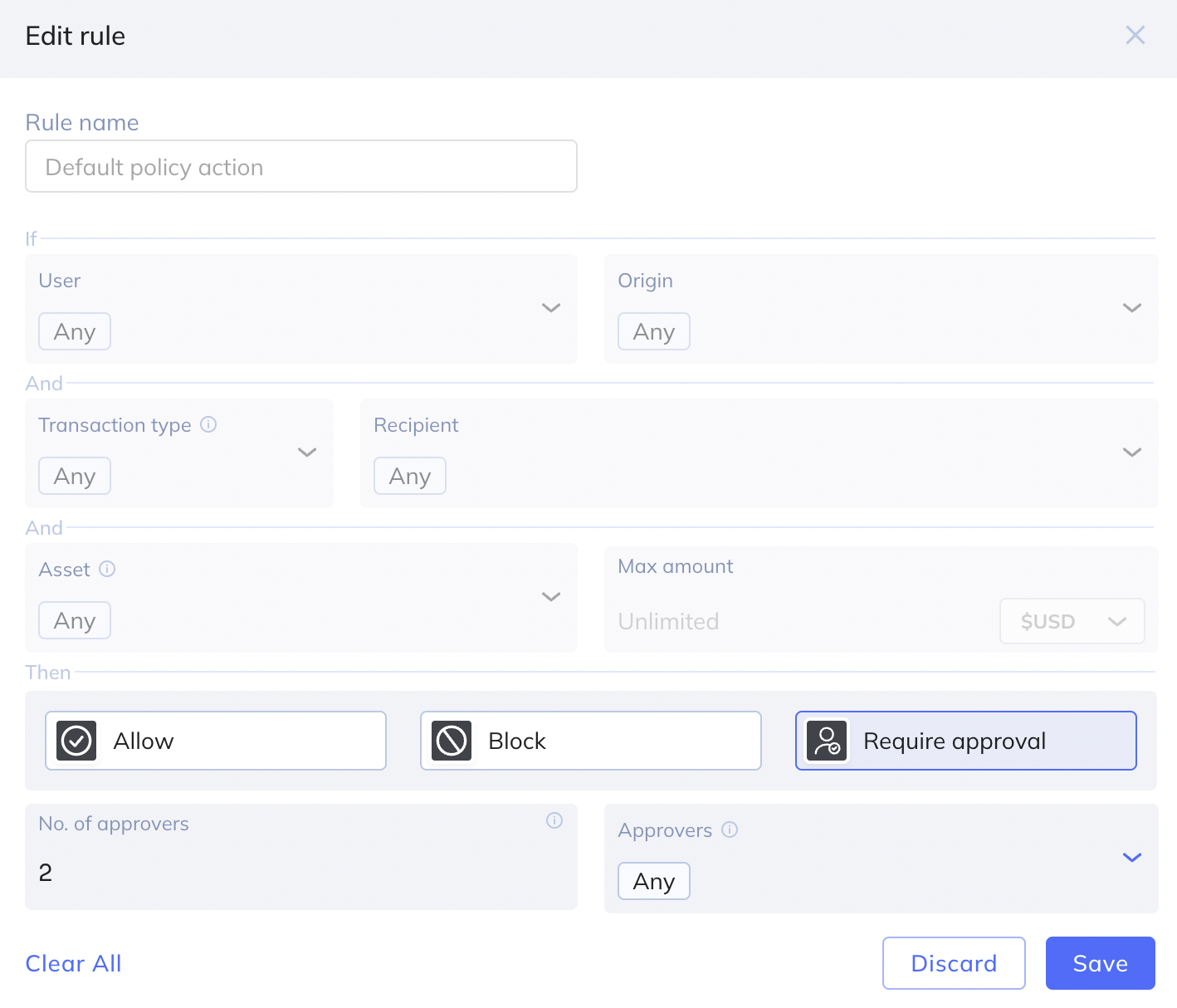
Settings for the default policy are as shown:
- User: Any
- Origin: Any
- Transaction type: Any
- Recipient: Any
- Asset: Any
- Max amount: Unspecified
At minimum, select the following:
- Require approval
- Number of approvers: 2
- Approvers: Any
Suppose you want Fordefi to:
- Allow any transaction up to $100 without approval.
- Require approval by two approvers for any transaction up to $1000.
- Require approval by a specific person for any transaction up to $1 million.
To do this, define three different policy rules, in the following order:
Rule 1
Set values for these fields:
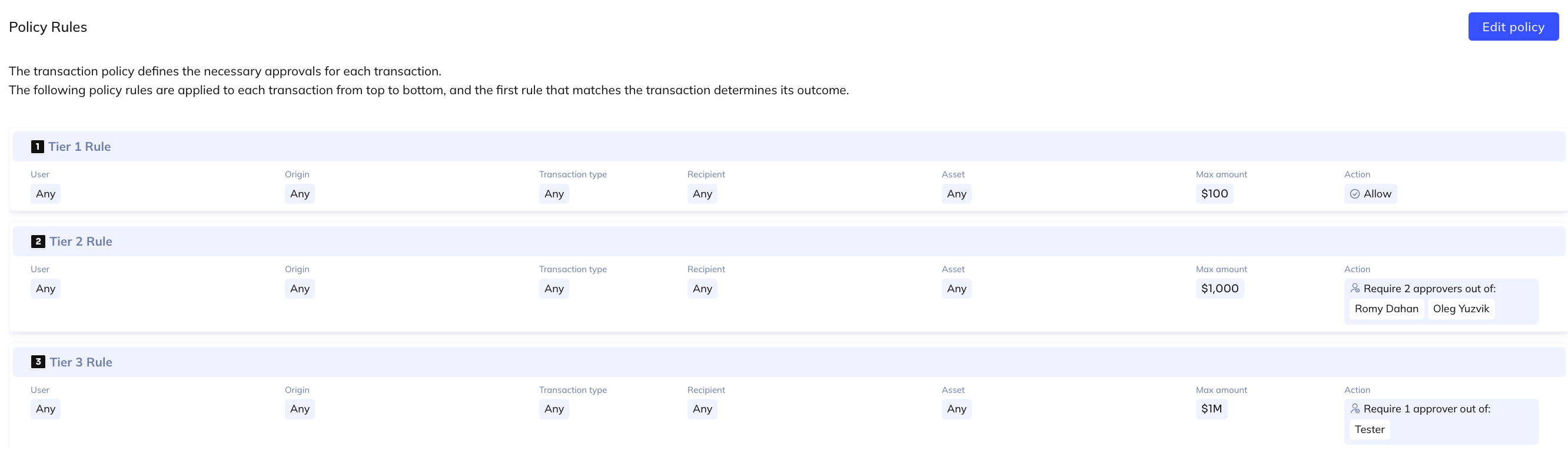
- Rule name: Tier 1 rule
- Max amount: $100
- Allow
Rule 2
Set values for these fields:
- Rule name: Tier 2 rule
- Max amount: $1000
- Require approval
- No of approvers: 2
- Two approver names
Rule 3
Set values for these fields:
- Rule name: Tier 3 rule
- Max amount: $100000
- Require approval
- One approver name
The three rules would appear so in the Transaction Policy screen:
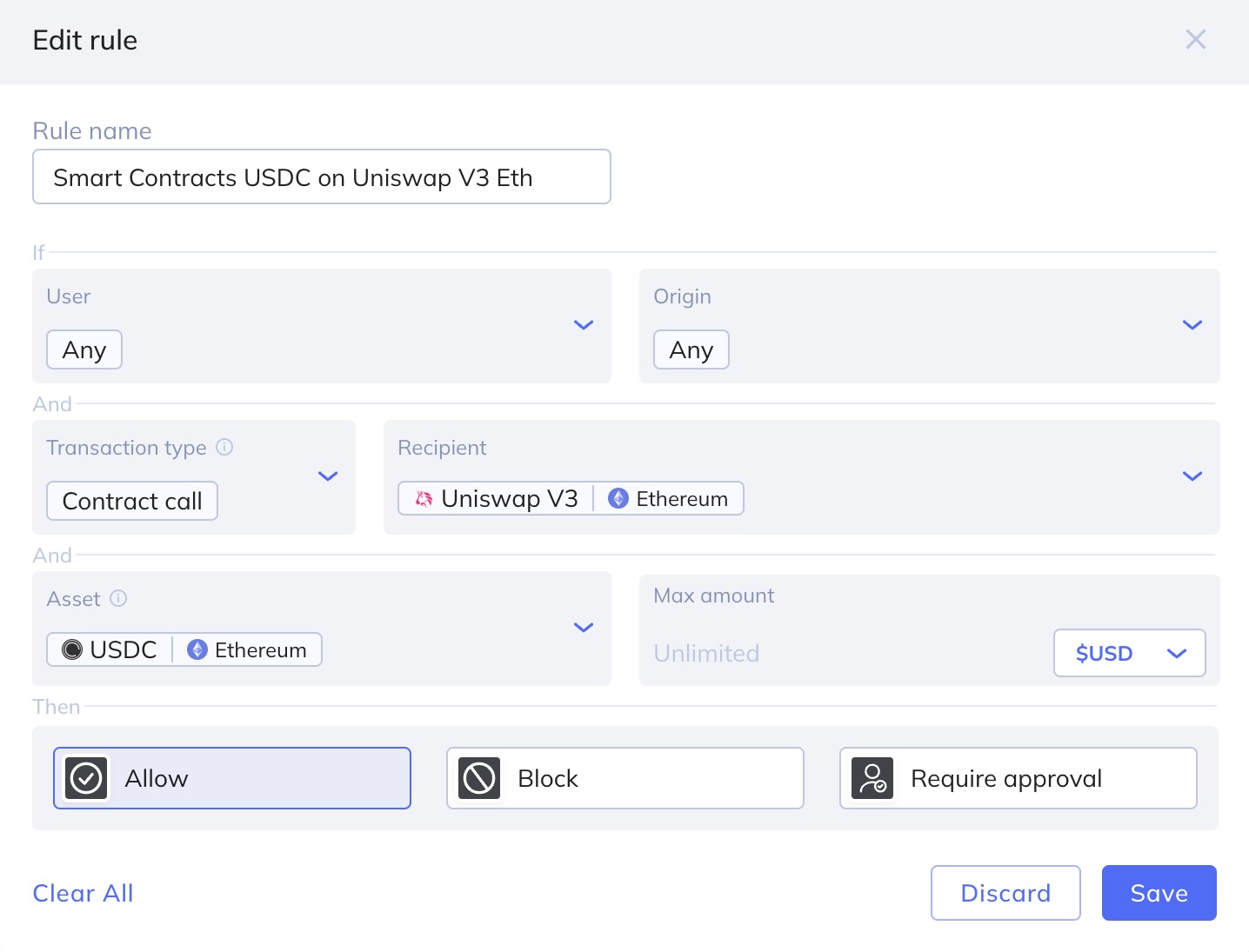
Set a rule that will allow trades involving USDC on Uniswap (Ethereum) to proceed without approval. Set values for these fields:
Rule name: Smart Contracts USDC on Uniswap V3 Eth
Transaction type: Contract call
Recipient: Uniswap V3 Ethereum
Asset: USDC Ethereum
Allow