Your Fordefi EVM vaults can act as Smart Accounts, leveraging both EIP-7702 and EIP-4337. Fordefi uses Ethereum Foundation's Simple7702Account as its smart account.
Not all EVM chains have adopted EIP-7702. Currently, Smart Accounts can be enabled only on the following chains:
|
|
To activate your vault as a Smart Account, you will need to execute a dedicated on-chain transaction. You can sponsor this activation transaction with a different vault.
Follow these steps:
Click Vaults in the sidebar of the Fordefi web console and select an EVM vault from the list that is displayed.
In the upper-left pane of the vault window (where the vault name appears), under Account type, click the link.
The Smart Account Management window opens, displaying a list of chains that support smart accounts.
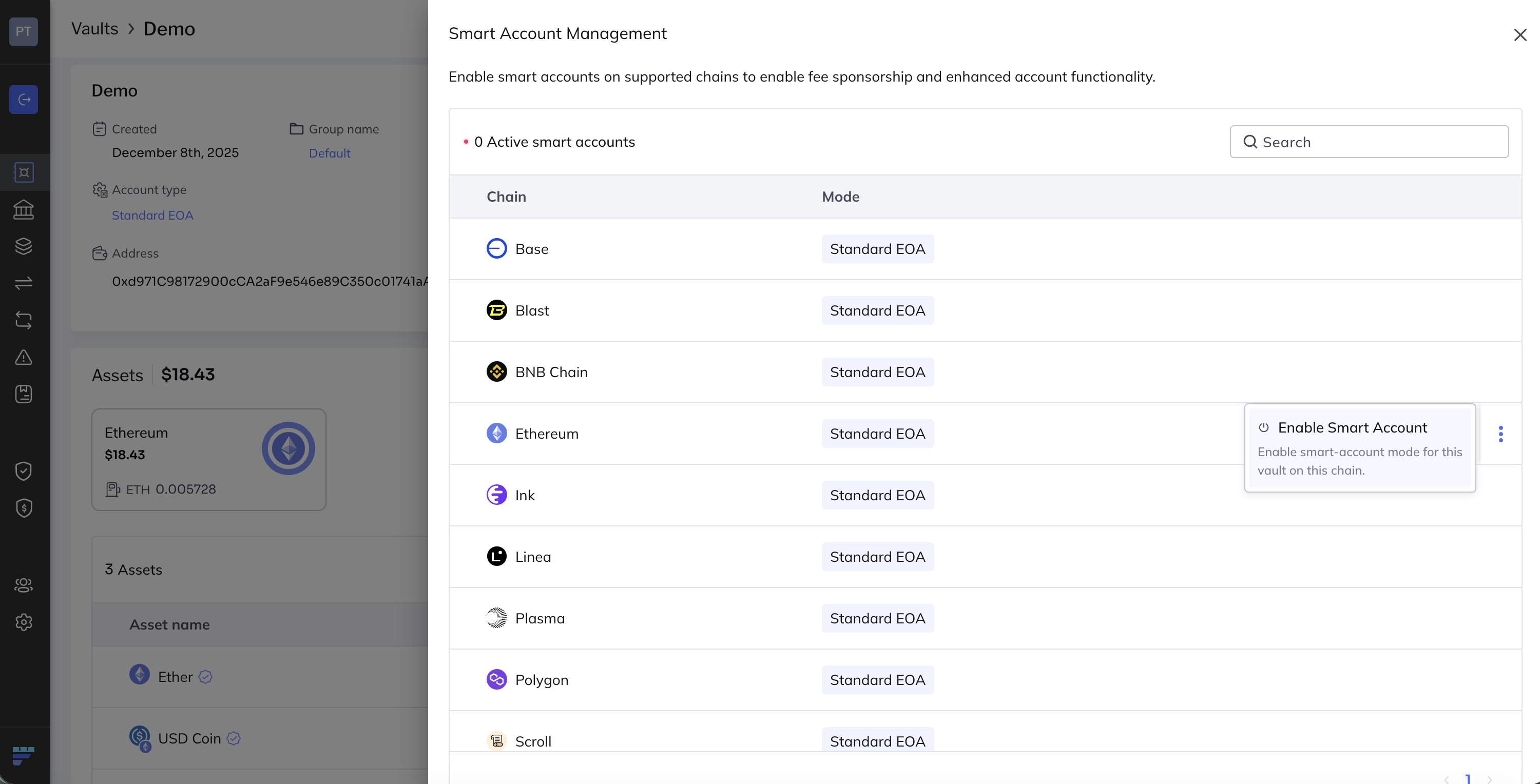
Hover with your mouse in the line displaying the chain type. At the extreme right, click the ellipsis menu and click Enable Smart Account.
The Enable Smart Account dialog opens.
To enable a Smart Account, you need to send a transaction on chain. Specify transaction details in the dialog by choosing the fee level (default is
Medium) and the fee payer vault.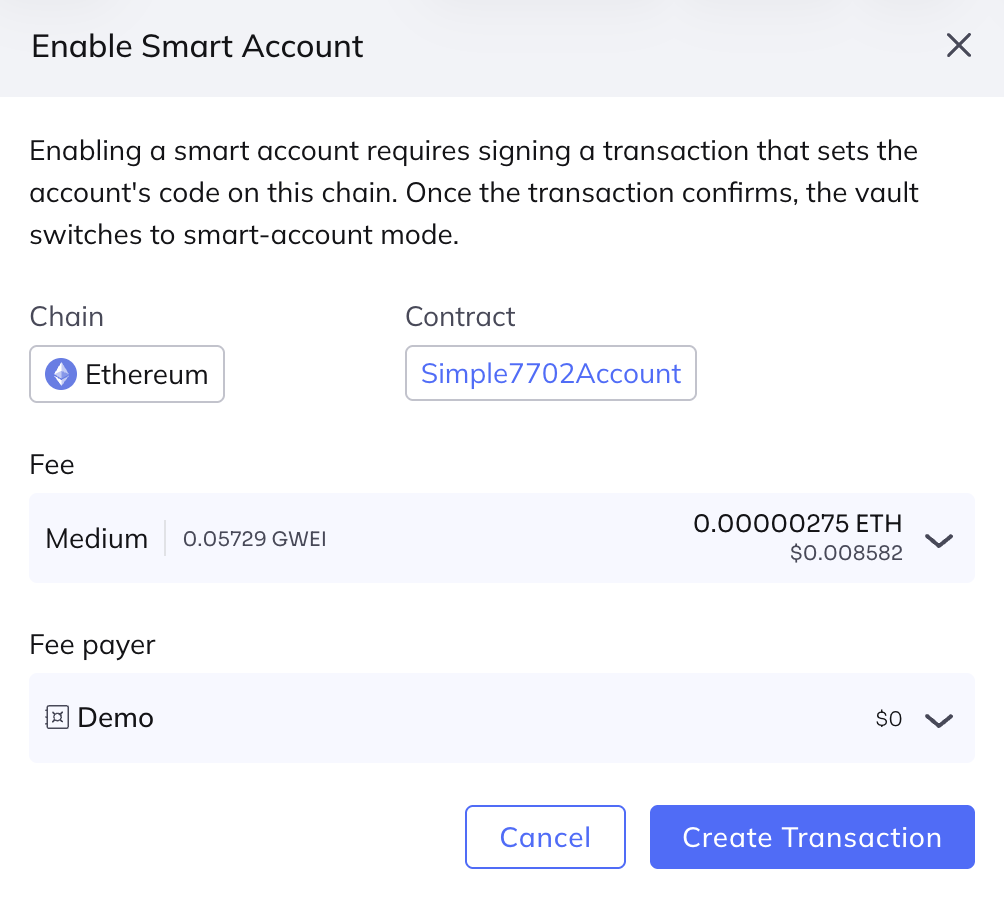
Click Create Transaction to proceed with the Smart Account enablement. To complete the activation process, sign the transaction in your mobile app.
When the transaction is successfully mined, the vault is enabled as a Smart Account.
To disable the smart account, follow the same steps, only choose Switch to Standard EOA.