Admins can edit the display names of other admins, traders and viewers in the organization they administrate. They cannot edit their own display name.
Here's how:
Click User Management in the side menu, then click the Users tab. Usernames are displayed in the Name column.
Click the menu at the right end of the line for the user whose display name you wish to edit.
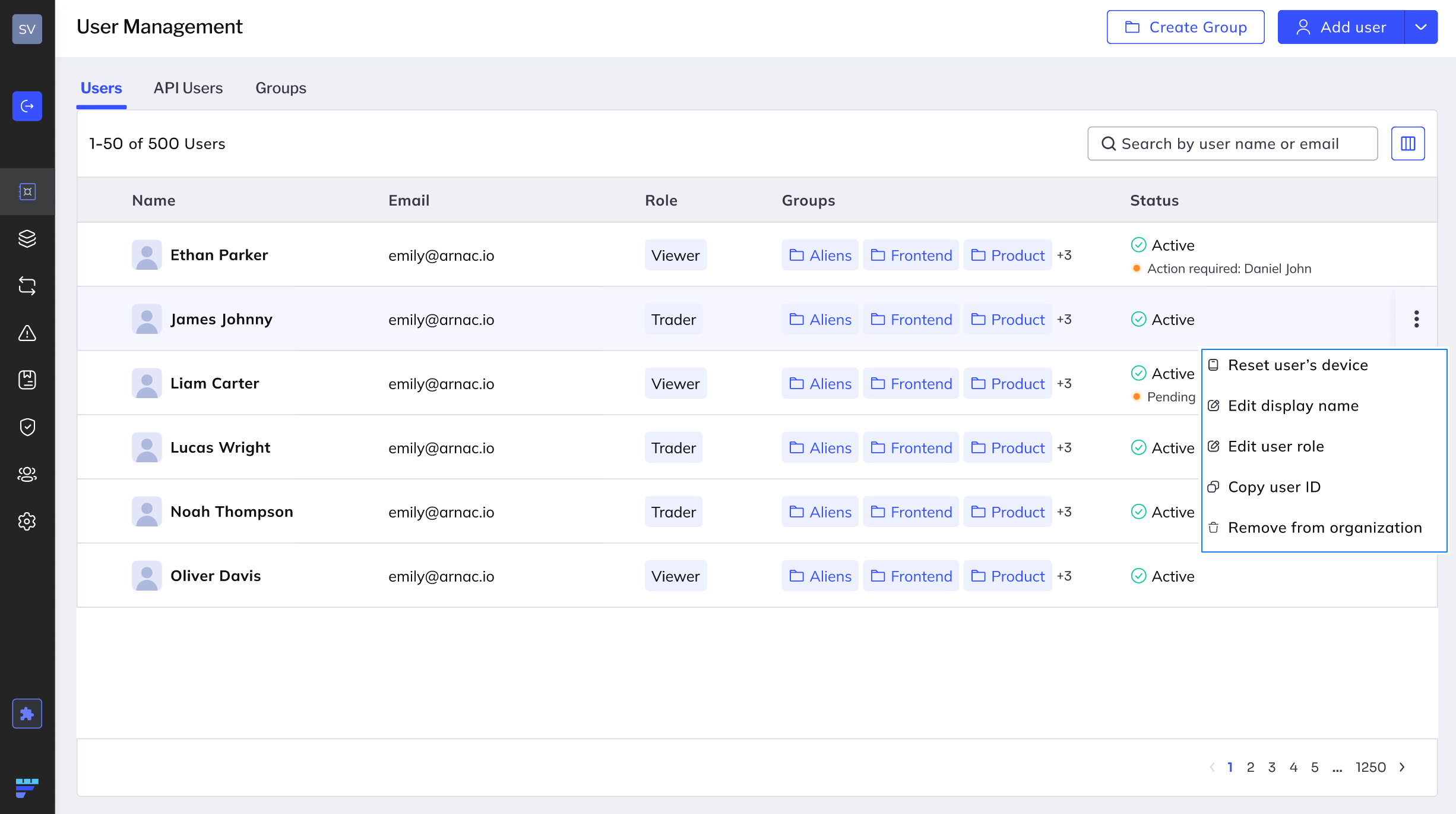
Click Edit display name in the menu that appears.
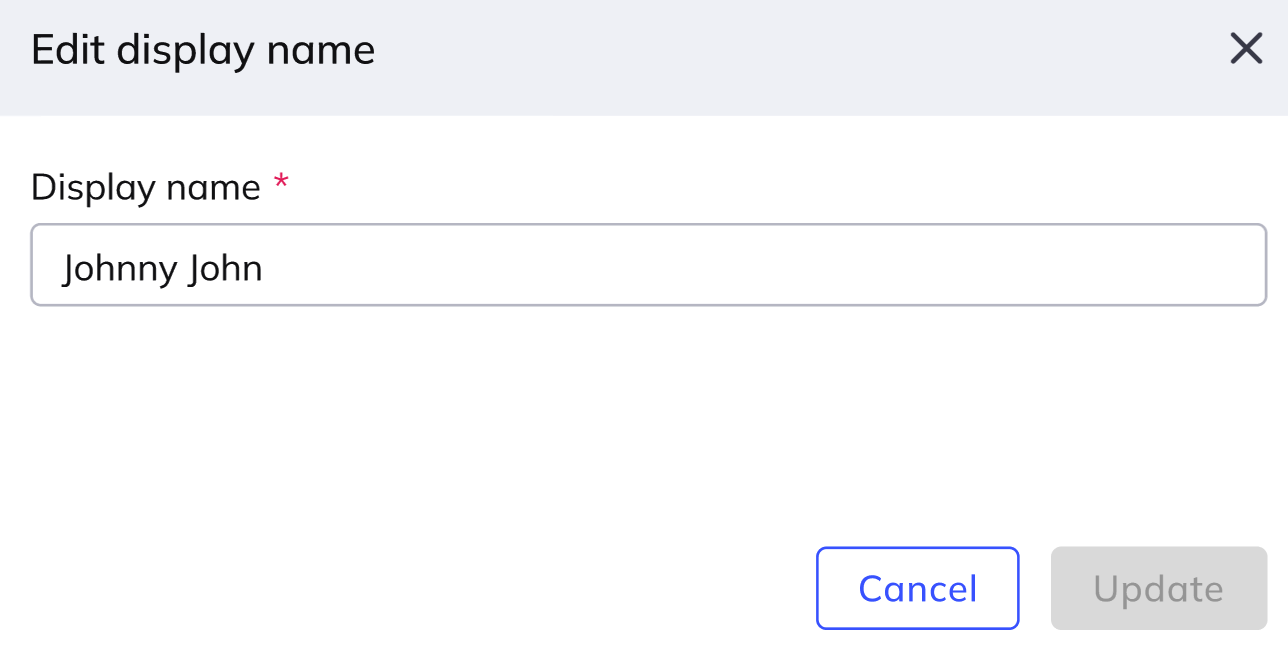
In the dialog that appears, edit the display name, then click Update.
The display name is updated immediately throughout the web console.