Import a YAML file to add many addresses, and the groups they belong to, to your Address Book, in a single operation that requires a single Admin Quorum approval.
The file you import is normally one you exported from another Fordefi organization and edited outside Fordefi.
To ensure successful import, make sure that the YAML file is properly formatted. Here's an example:
contacts:
    - name: Example EVM Ethereum + Polygon
      chainType: evm
      address: "0xd4a16edb14a08b4af0f464ff2ca1da9539b2d4a1"
      contactType: recipient
      chains:
          - evm_1
          - evm_137
      groups:
          - Example group
    - name: Example EVM all chains
      chainType: evm
      address: "0xa9dfcb7c22ba382265de05932567148e88f005e3"
    - name: Example Solana
      chainType: solana
      address: CBQemZZZJEDDSgchUP3MZg6q3iH2YfMpABGfXtBYVaTu
      chains:
          - solana_mainnet
    - name: Example Osmosis with memo
      chainType: cosmos
      address: osmo1ftfkugqthcpp9pxlnc9qk85vdwhdr3r5kznnfg
      chains:
          - cosmos_osmosis-1
      memo: "12345"
    - name: Example Arbitrum
      chainType: evm
      address: "0x630860b06aeaa7dba1db1683e72d5303d66e651a"
      chains:
- evm_42161- Only admins can import addresses.
- An import requires a single Admin Quorum approval, in the same way as bulk-adding addresses.
Open the Fordefi web console.
In the side menu, click Address Book.
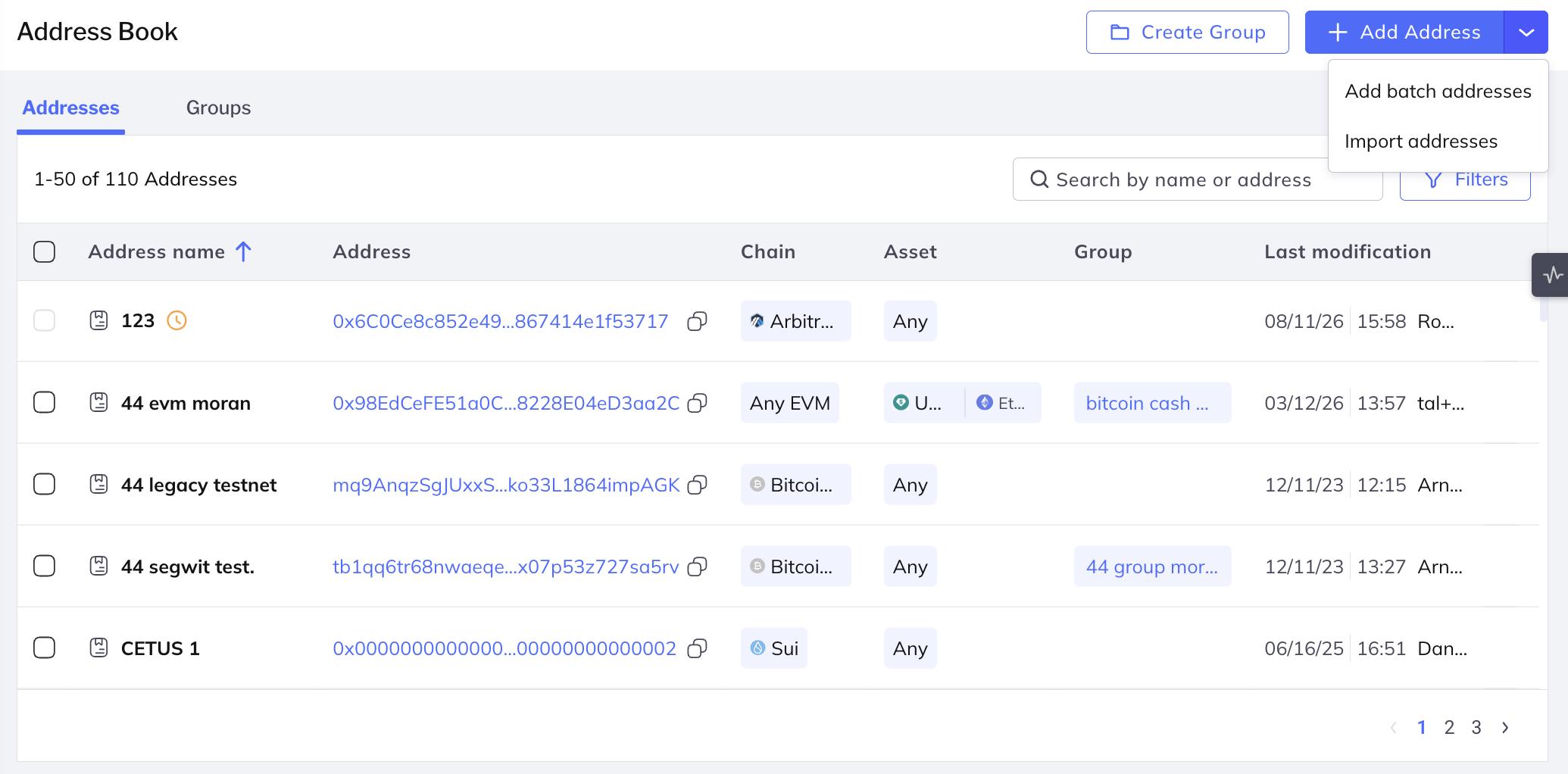
Click Add Address > Import addresses.
The Import addresses dialog opens.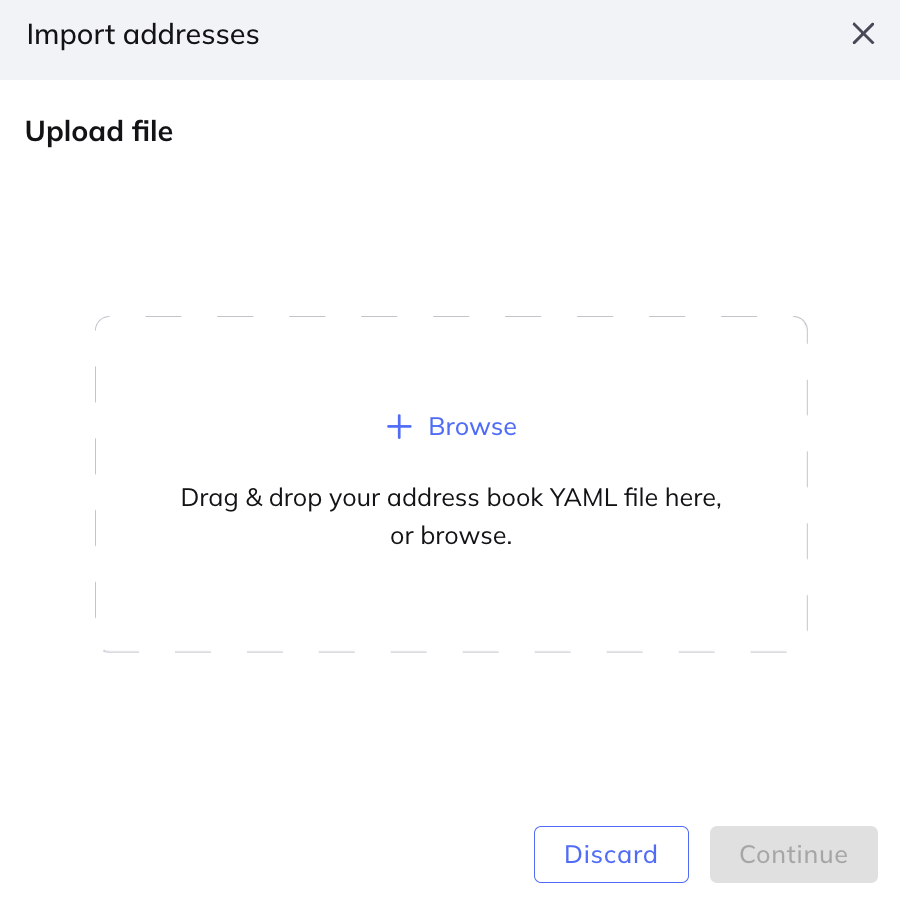
Drag your address book YAML file onto the dialog, or click Browse and select it. Click Continue.
Fordefi parses and validates the file, then displays the number of addresses it contains, followed by a card for each address showing its name, blockchain address, groups, and chains.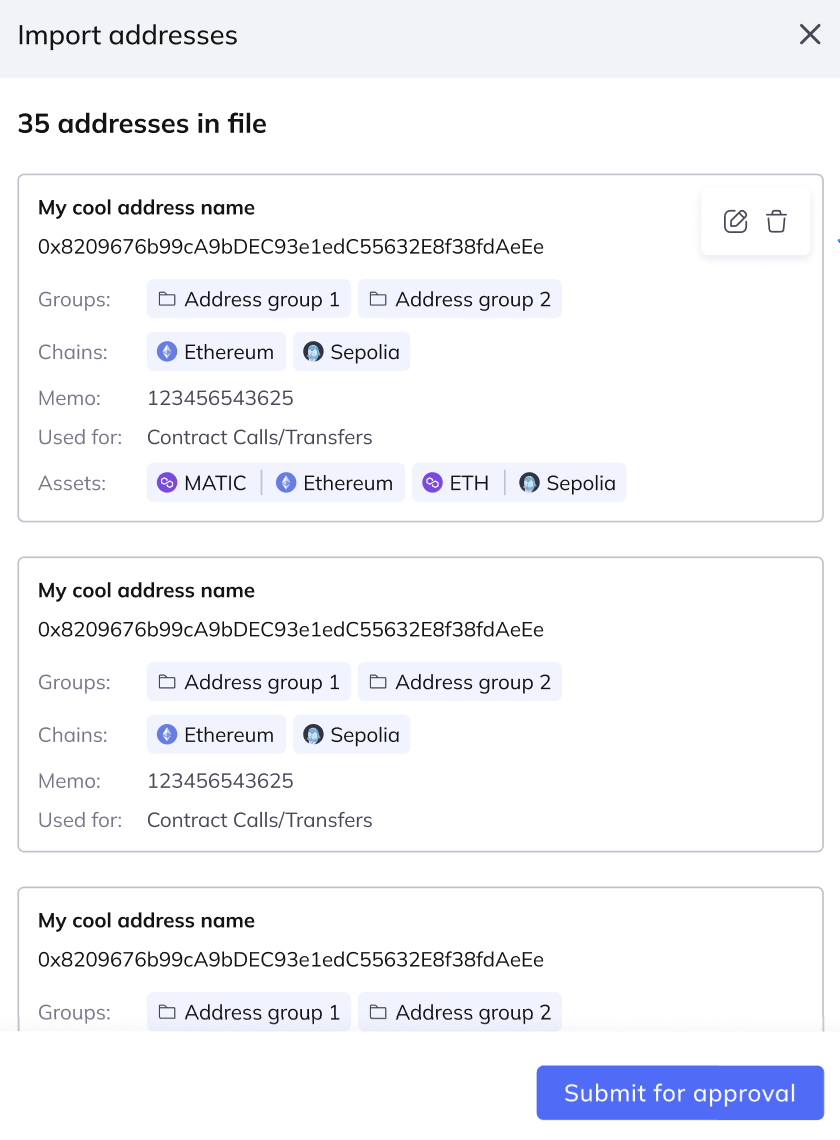
If the file references groups that do not exist yet, the dialog reports how many new groups will be created. Click Review new groups to see their names, then click Back to return to the address list.
Groups are matched by name. Existing groups are reused, and any that do not exist yet are created when the import is approved.
Review the errors and warnings reported on the address cards, and resolve them as described in Errors.
Click Submit for approval.
An import address book request is sent to the Admin Quorum for verification.
Fordefi validates every entry in the file before the import can be submitted.
- Errors block the import. You cannot submit while any address still has an error. Fix the entry in the YAML file and upload the file again, or remove the entry.
- Warnings do not block the import. They tell you that an address in the file differs from one that already exists in your Address Book, so that you can decide whether to proceed.
The following errors can be reported:
- Invalid address: The address is not valid for the chain it is assigned to.
- Unsupported chain: The address is assigned to a chain that does not exist in this organization, such as a custom chain that was never added here.
- Invalid asset: The address is assigned to an asset that Fordefi does not recognize on that chain.
- Duplicate contacts in file: The same address appears more than once in the file you uploaded.
- Name already exists: An address in the file uses the name of a different address that already exists in your Address Book.
To complete the import, the Admin Quorum must do the following on their mobile devices.
- Go to Management > Inbox.
- Tap Import address book request to view the addresses and groups in the import.
- Tap Approve.
When the required number of admins approve the request, the addresses are added to the Address Book and any new groups are created.