Export your organization's Address Book to a YAML file, so that you can review it off-platform, keep a copy of it, or use it to populate the Address Book of another organization.
Exporting is useful when you:
- Bootstrap a new organization: Export a mature Address Book and import it into an empty organization, instead of re-entering every contact by hand.
- Update an existing organization: Export, edit the file outside Fordefi, and import the result to add or update many contacts at once.
- Keep an off-platform record: Store a readable snapshot of the contacts and groups your organization approved.
- Only admins can export the Address Book.
- The exported file contains both individual addresses and the address groups they belong to.
- Exporting does not require Admin Quorum approval.
Open the Fordefi web console.
In the side menu, click Address Book.
The Address Book screen opens, displaying a list of addresses.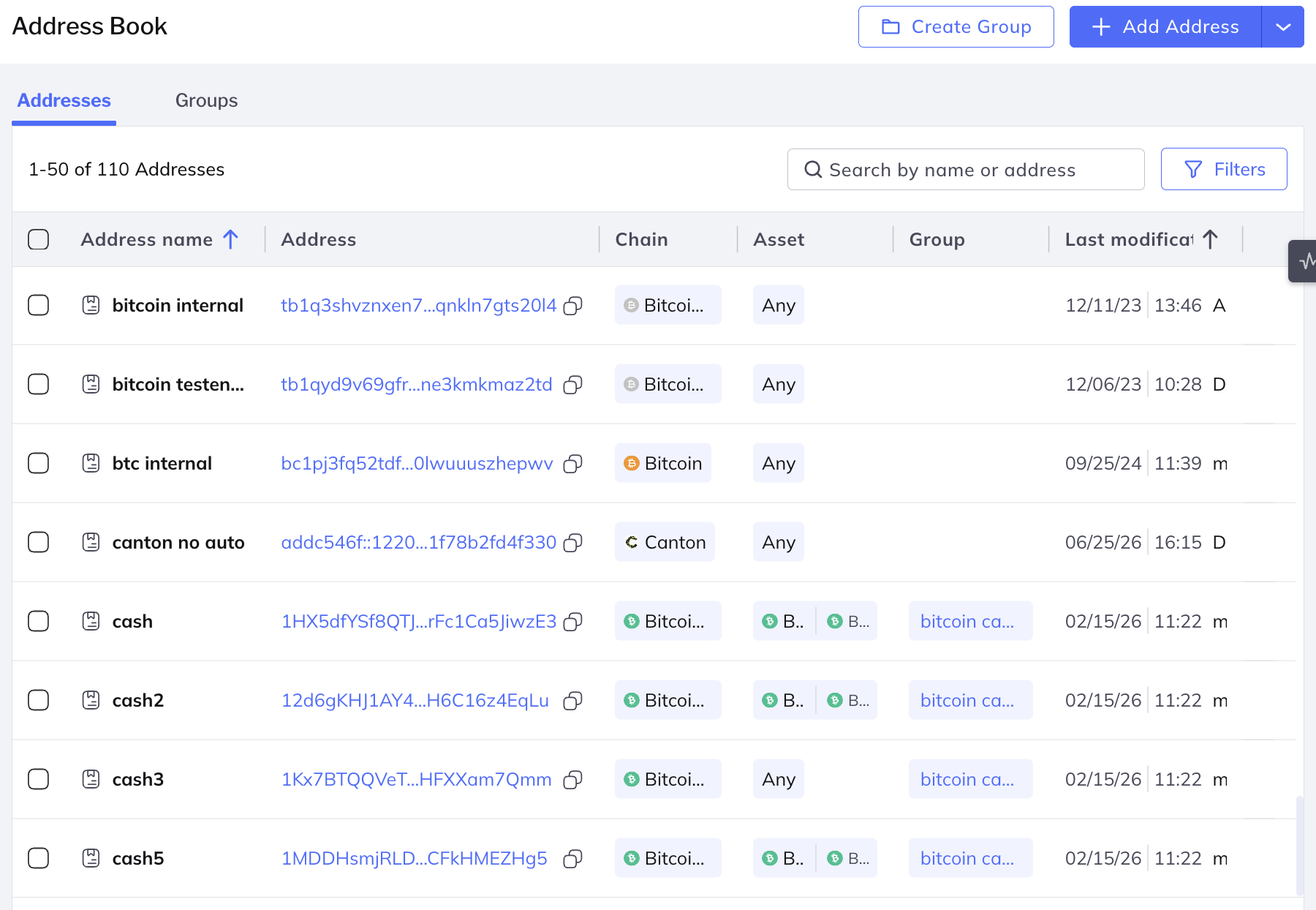
Choose which addresses to export:
- Leave addresses unselected to export them all.
- To export part of the Address Book, filter the list, for example by group, then select the addresses you want using the check boxes in the rows. The counter above the list shows how many addresses are currently listed out of the total.
Click Export above the list.

Fordefi prepares the file, reporting how many of the selected addresses it has processed so far. When preparation completes, the YAML file is downloaded to your computer and a summary of the export is displayed.
If Fordefi cannot export some of the selected addresses, the export completes and reports the addresses it could not include. If the export fails altogether, the error is displayed together with a request ID that you can copy and pass on to Fordefi support.
Edit the exported YAML file in any text editor before you import it. Keep the structure of the file intact and change only the values.
When you import the file, Fordefi validates every entry: address formats are checked per chain, chains and assets must be recognized and enabled in the target organization, and any group named in the file is either matched to an existing group or created.