Depending on your needs, you can use Fordefi either through a graphic user interface, or programmatically, through a REST API.
There are three graphic interfaces that allow you to interact with the Fordefi platform:
View your Fordefi workspace dashboard in a web browser. Currently, only Chrome is supported.
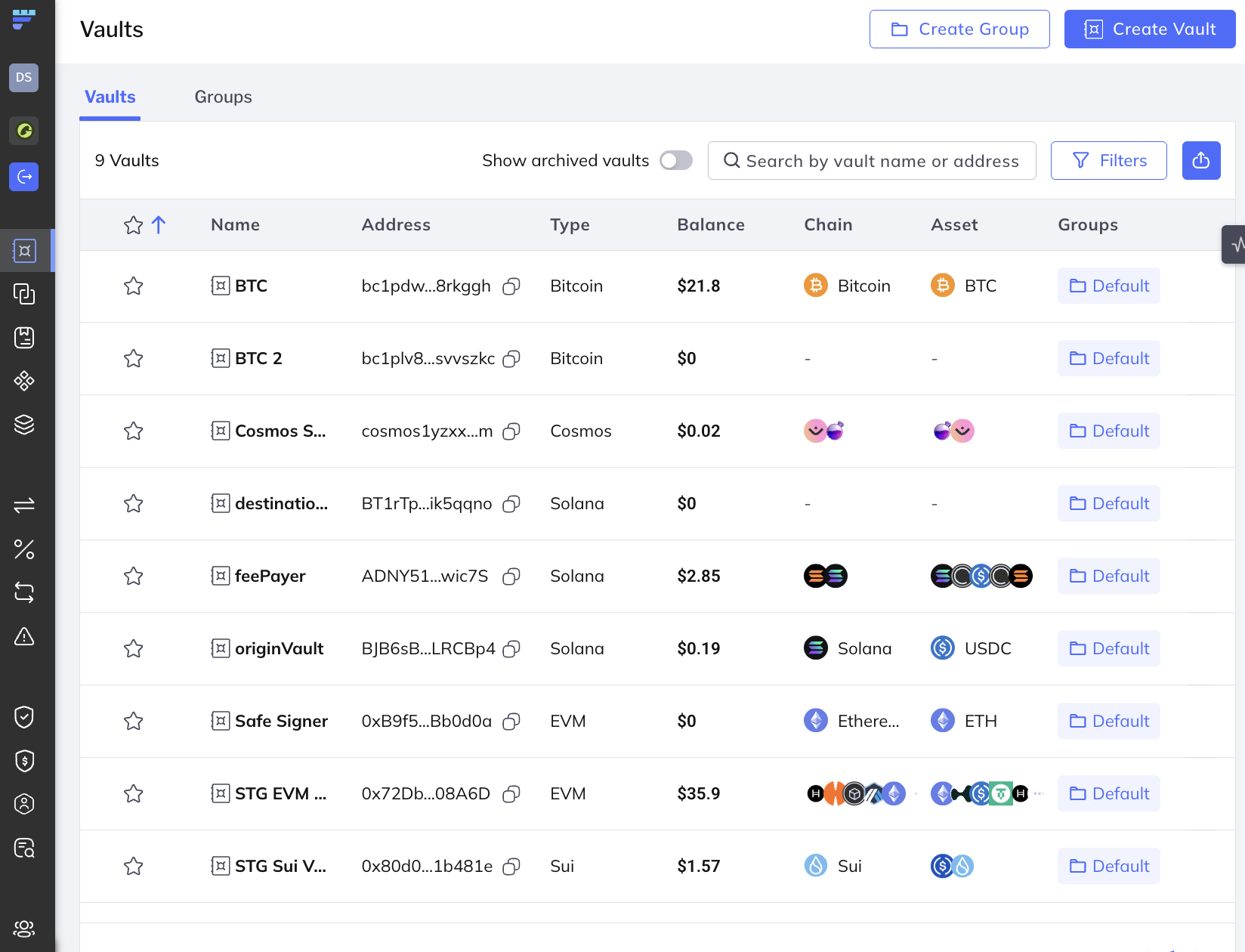
In the side menu, you can access the following:
Transfer: Make a transfer from one of the vaults in your organizations.
Vaults: See the vaults in your workspace and create new vaults.
Connected Accounts: Use this area to configure Centralized cryptocurrency exchanges (CEXs) integrated in Fordefi or to connect to a Safe{Wallet}.
Address Book: See blockchain addresses of people or entities who want to send or receive money on a blockchain network. Manage Addresses and Address Groups for your organization.
DApps: Manage DApps and DApp Groups for your organization.
Assets: See your assets as they are spread across chains and vaults.
Swap & Bridge: Trade assets on supported chains, both on the same chain and cross-chain, with a range of selected providers for secure and efficient operations.
Earn: Discover, deposit into, monitor, and withdraw from supported DeFi yield vaults.
Transactions: See the history of transactions in your workspace.
Allowances: See the allowances that have been granted and revoke them.
Transaction Policy: See the rules that make up the current transaction and AML policies and edit them.
AML Policy: Set policies to define what action should be taken in case of an alert from the AML provider configured in your organization.
Admin Quorum: Manage the Admin Quorum - the set of organization administrators required to approve sensitive organization changes such as policy definitions, or participation in high-risk operations.
Audit Logs: View and download an audit log of administrative actions in the platform.
User Management: Manage users, user groups, and API users.
Settings: You can configure parameters for:
From this main web console screen, you can also:
- Click Create Vault in the upper-right corner to quickly create a new vault.
- Click Create Group in the upper-right corner to quickly create a new vault group.
Fordefi’s unified browser extension enables you to seamlessly connect to thousands of DApps across various blockchains, submit your transactions, and monitor their progress.
The extension also lets you natively stake your assets on all the supported Proof-of-Stake chains with various staking providers.
Through the power of Fordefi’s transaction enrichment system, the extension presents you with insightful details on each transaction, so that you can verify its integrity, understand and mitigate any risks, and understand the transaction’s impact on your vault.
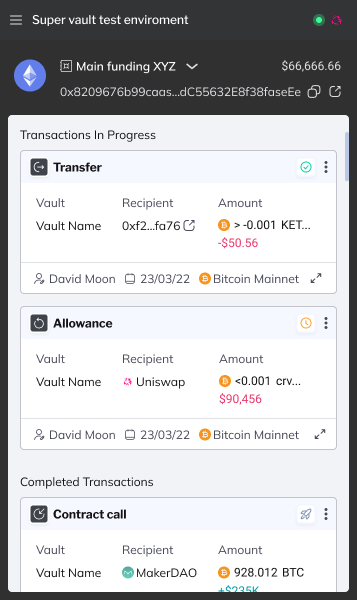
The Fordefi extension is available at the Chrome Web Store.
For more information on installing and updating the browser extension and on using it to connect to DApps, see Work with DApps.
The Fordefi mobile app is where you make decisions: you use it to allow or block any action that requires approval, such as a transaction, or policy change.
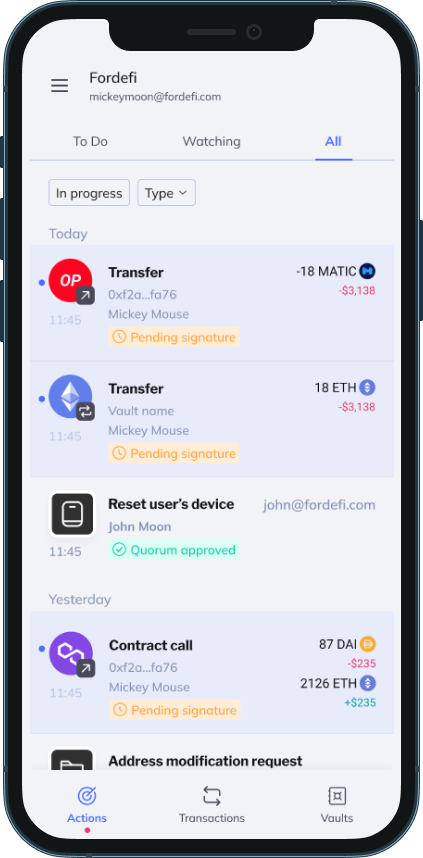
You download the Fordefi app to a mobile device running iOS or Android. Then, when you activate your Fordefi account, your device becomes provisioned to be the secure storage for your cryptographic key-share.
Fordefi's REST API is provided for performing actions programmatically.
See API Guide and API Reference.