Export your organization's DApp Groups to a YAML file.
Exporting is useful when you:
- Bootstrap a new organization: Export the DApp Groups of a mature organization and import them into an empty one, instead of re-creating every group by hand.
- Update an existing organization: Export, edit the file outside Fordefi, and import the result to add or update many groups at once.
- Keep an off-platform record: Store a readable snapshot of the DApp Groups your organization approved.
- Only admins can export DApp Groups. Exporting does not require Admin Quorum approval.
- The exported file contains the groups and the DApps that belong to them, but not the DApps themselves, because they are the same in every organization.
Open the Fordefi web console.
In the side menu, click DApps, then click the Groups tab.
The Groups tab opens, displaying a list of DApp Groups.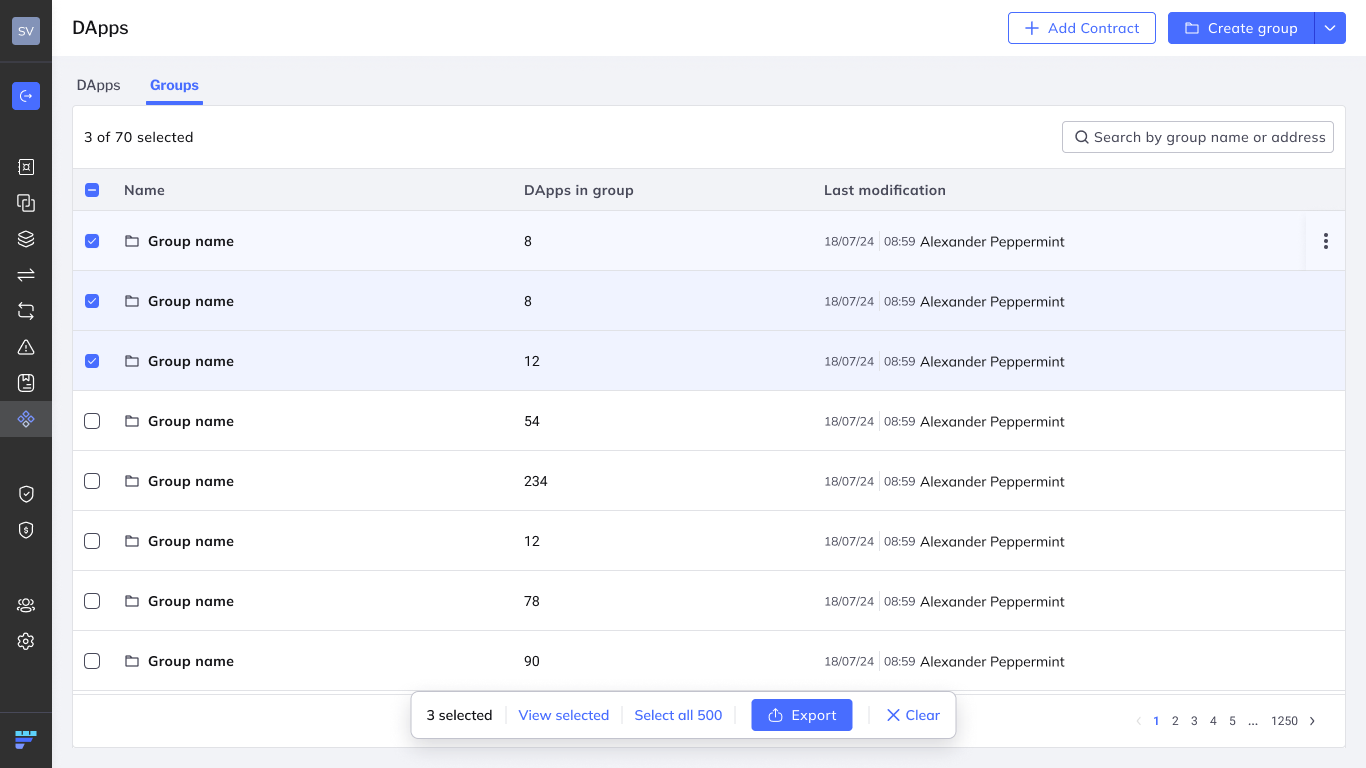
Choose which groups to export:
- Leave groups unselected to export them all.
- To export part of the list, search for groups by name, then select the groups you want using the check boxes in the rows. The counter above the list shows how many groups are selected out of the total.
Click Export in the bar that appears at the bottom of the list. The bar also lets you click View selected to review your selection, Select all to select every group, or Clear to clear the selection.
Fordefi prepares the file. When preparation completes, the YAML file is downloaded to your computer and the Export dialog displays a summary of the export, for example, "Export completed, your download will begin now" and the number of items exported.
If Fordefi cannot export some of the selected groups, the export completes and the dialog reports the number of errors encountered, together with a request ID that you can copy and pass on to Fordefi support. If the export fails altogether, the dialog displays Failed to export YAML and the request ID. Click Retry to try again.
Edit the exported YAML file in any text editor before you import it. Keep the structure of the file intact and change only the values. Here's an example:
dappGroups:
    - name: Trusted DEXs
      dapps:
          - name: Uniswap V3
            chain: evm_1
          - name: Uniswap V3
            chain: evm_42161
    - name: Lending
      dapps:
          - name: Aave V3
            chain: evm_1
Each DApp is identified by its name and chain. Fordefi adds a debank_id to a DApp only when its name and chain alone do not identify it.