Transfers in and out of custody vaults use Fordefi's existing Transfer UI, API and policy engine. Fordefi applies your policies and approvals, and Paxos executes the transfer.
| From | To | Supported |
|---|---|---|
| Custody vault | Fordefi vault, exchange vault or another custody vault | Yes |
| Fordefi vault or exchange vault | Custody vault | Yes |
| Custody vault | Custody vault that represents a Paxos profile in the same Paxos organization | Yes |
| Custody vault | Custody vault that represents a Paxos profile in a different Paxos organization | No |
In the Fordefi web console, click Connected Accounts, then click the Custody tab. From the list, click the custody vault you want to transfer from.
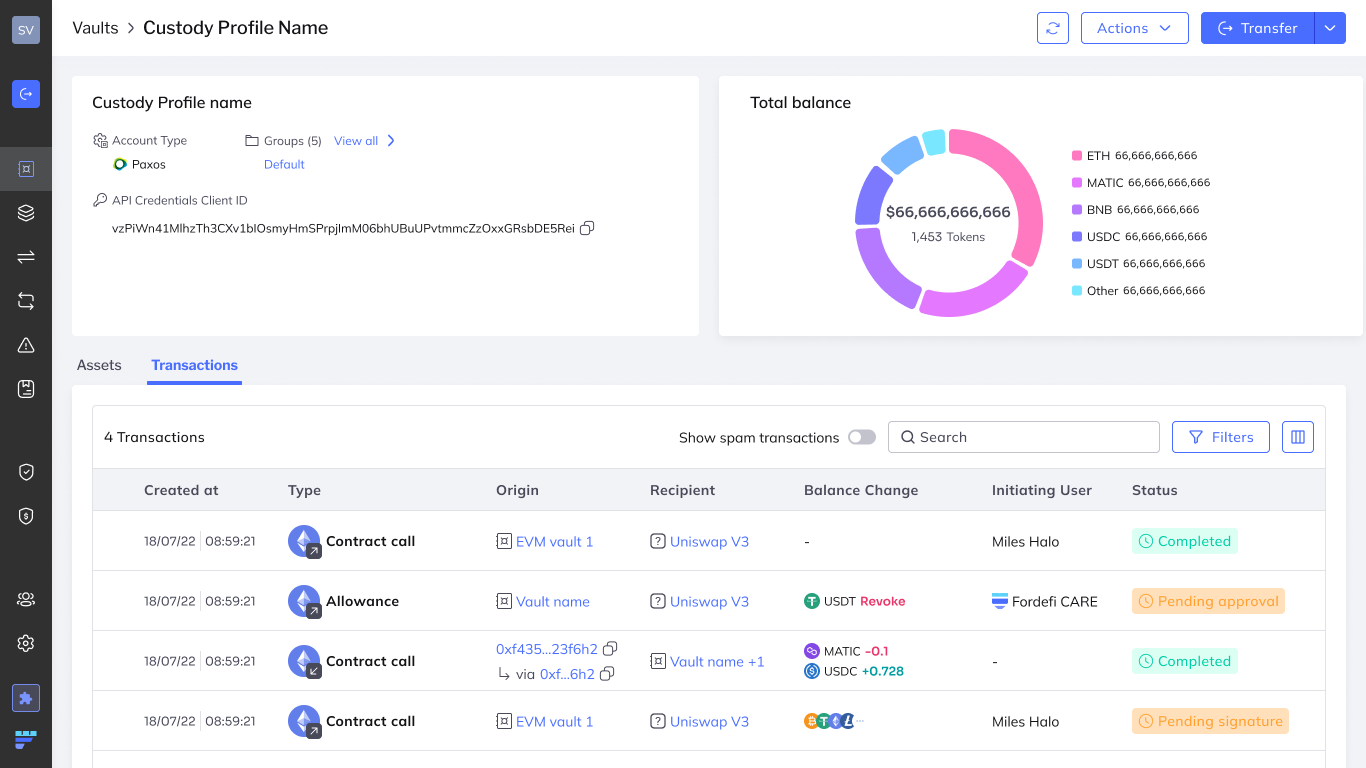
Click Transfer in the upper-right corner of the screen.
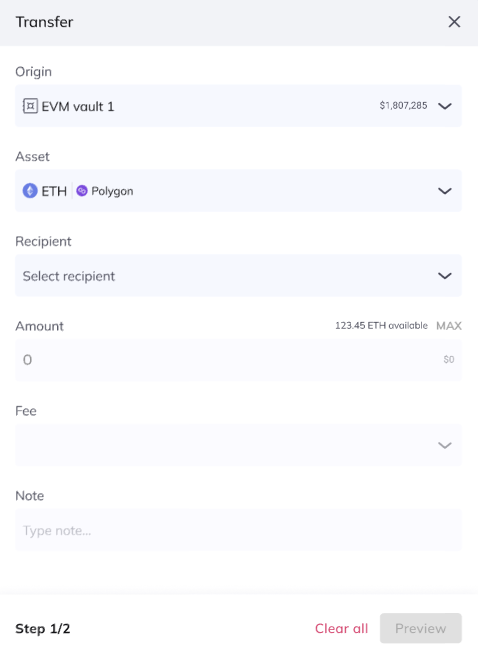
Fill in the transfer details:
Origin: The custody vault you're transferring from.
Asset: Select the asset.
Recipient: Select the receiving vault. There is no need to specify an address.
Amount: Enter the amount to transfer.
Fee: Enter the fee. When you transfer out of a custody vault, Fordefi gets a fee quote from Paxos and shows it in the transaction preview.
The final fee charged by Paxos may differ from the quote.
Click Preview to see a summary of the transaction, including the fee quote from Paxos, any warnings, and the policy and approvers that apply.
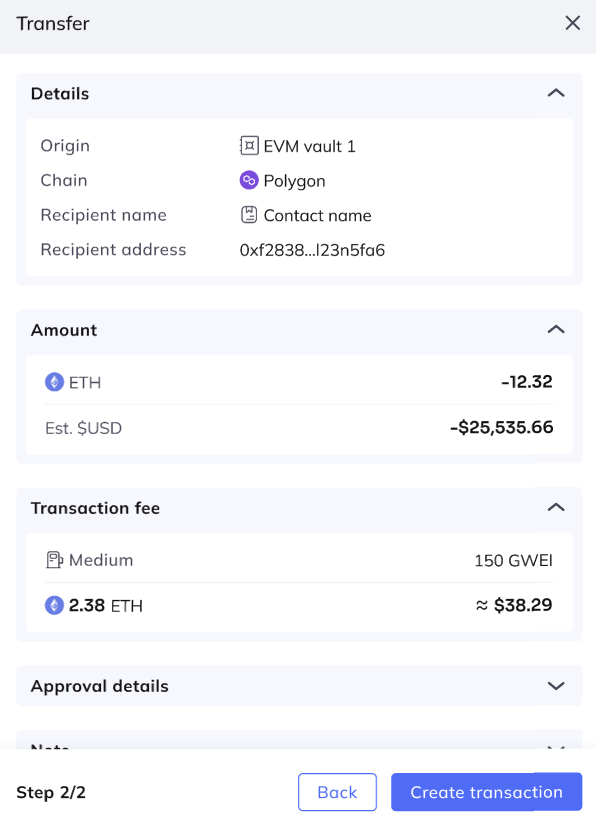
To proceed, click Create Transaction.
- In the Fordefi web console, open the vault you want to transfer from: a Fordefi vault (Vaults > Vaults) or an exchange vault (Connected Accounts > Exchanges).
- Click Transfer in the upper-right corner of the screen.
- Fill in the transfer details:
- Origin: The vault you're transferring from.
- Asset: Select the asset.
- Recipient: Select the receiving custody vault. There is no need to specify an address.
- Amount: Enter the amount to transfer.
- Click Preview to review the transaction, then click Create Transaction.
Custody transfers follow the same lifecycle as exchange transfers. While Paxos is processing a transfer, the console shows it as Pending Provider.
In the API, custody and exchange transfers use these provider statuses:
| Status | Meaning |
|---|---|
PENDING_PROVIDER | The provider (Paxos or the exchange) is processing the transfer. |
ERROR_SUBMITTING_TO_PROVIDER | Fordefi couldn't submit the transfer to the provider. |
ERROR_PROCESSING_BY_PROVIDER | The provider failed to process the transfer. |
Paxos applies its own compliance and approval checks before executing a custody transfer, so some transfers take longer to complete.