USDG is issued by Paxos, a regulated stablecoin issuer, and is the core asset of the Global Dollar Network (GDN) — a network Paxos created so that platforms driving USDG adoption share in the returns generated by USDG's reserves. Fordefi is a member of that network, so we can pass a share of those returns to you.
Paxos has two roles in this program: it issues USDG, and it measures the eligible USDG balances held in your Fordefi vaults to calculate what you've earned. Fordefi then credits those rewards to your invoice. Your USDG never leaves your Fordefi vaults — enrolling doesn't move, transfer, or lend it.
Your organization earn rewards on USDG simply by holding it in your Fordefi vaults — no staking, no lock-ups, and no extra steps. Rewards are credited to your Fordefi invoice.
- An admin from your organization enrolls in the rewards program.
- Hold USDG in any of your Fordefi EVM or Solana vaults.
- Paxos tracks the eligible balances across your vaults and calculates the rewards.
- Rewards are aggregated and Fordefi credits them to your next Fordefi invoice.
The current reward rate (APY) is set by the Global Dollar Network and changes over time.
Rewards apply to USDG held on the following chains:
| Asset | Supported chains |
|---|---|
| USDG | Ethereum, Solana, Robinhood, X Layer, Ink |
Once your organization is enrolled, all your EVM and Solana vaults are included automatically — including any new vaults you create later. You do not need to register vaults one by one.
The following vault types are not eligible for rewards:
Imported vaults
Vaults with external signers
Safe vaults
Rewards are available to organizations incorporated outside the European Union. Due to MiCA regulations, EU-incorporated customers are not eligible and cannot enroll at this time.
If your organization is already a part of the Global Dollar Network, you should not enroll again through Fordefi, to avoid being counted twice.
If you already hold any stablecoin, you can swap into USDG to start earning rewards. See Swap Assets.
Enrollment is done once per organization by an Admin. New organizations are not enrolled by default.
In the side menu of the Fordefi web console, click Settings > Rewards.
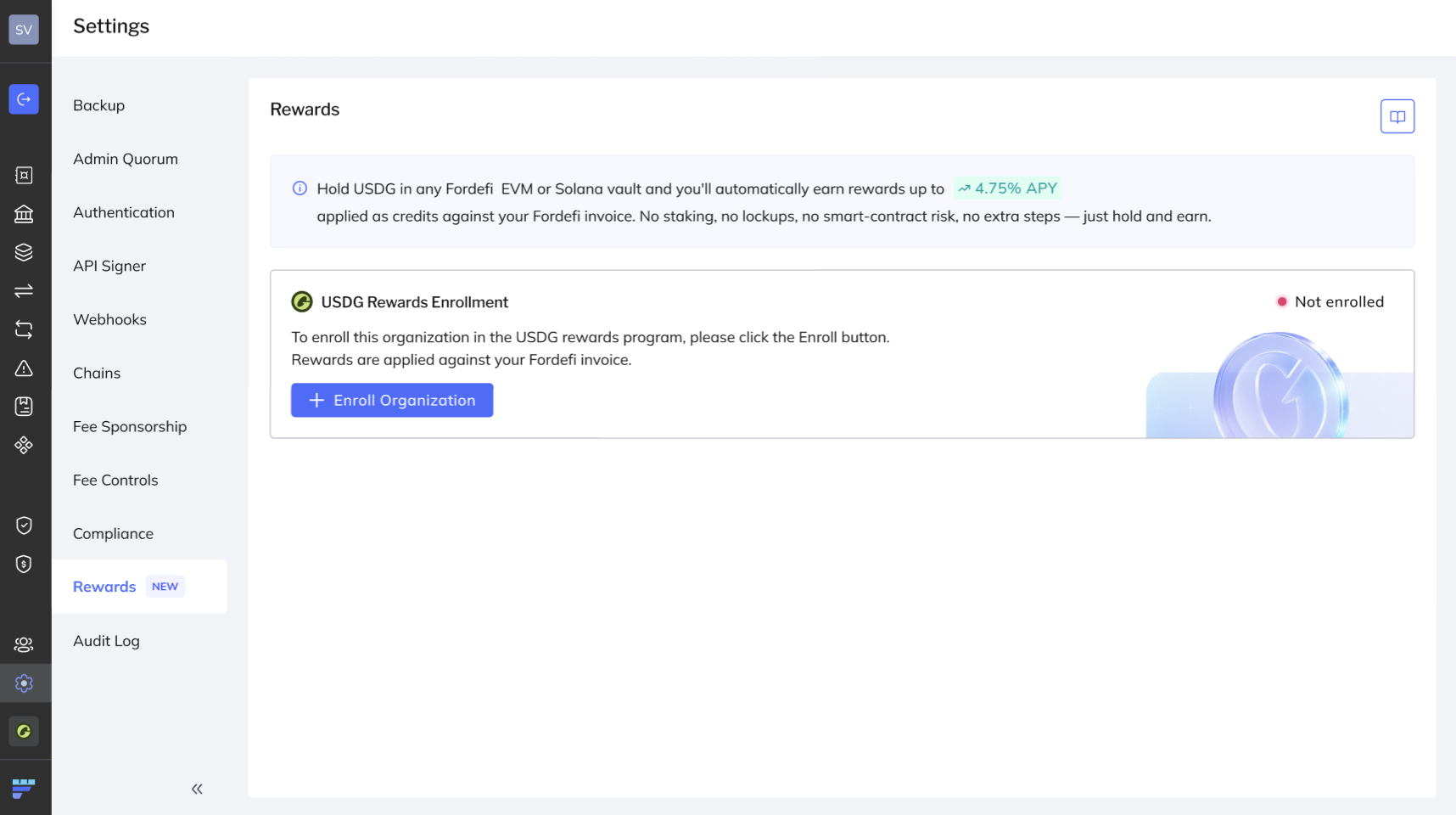
Click Enroll.
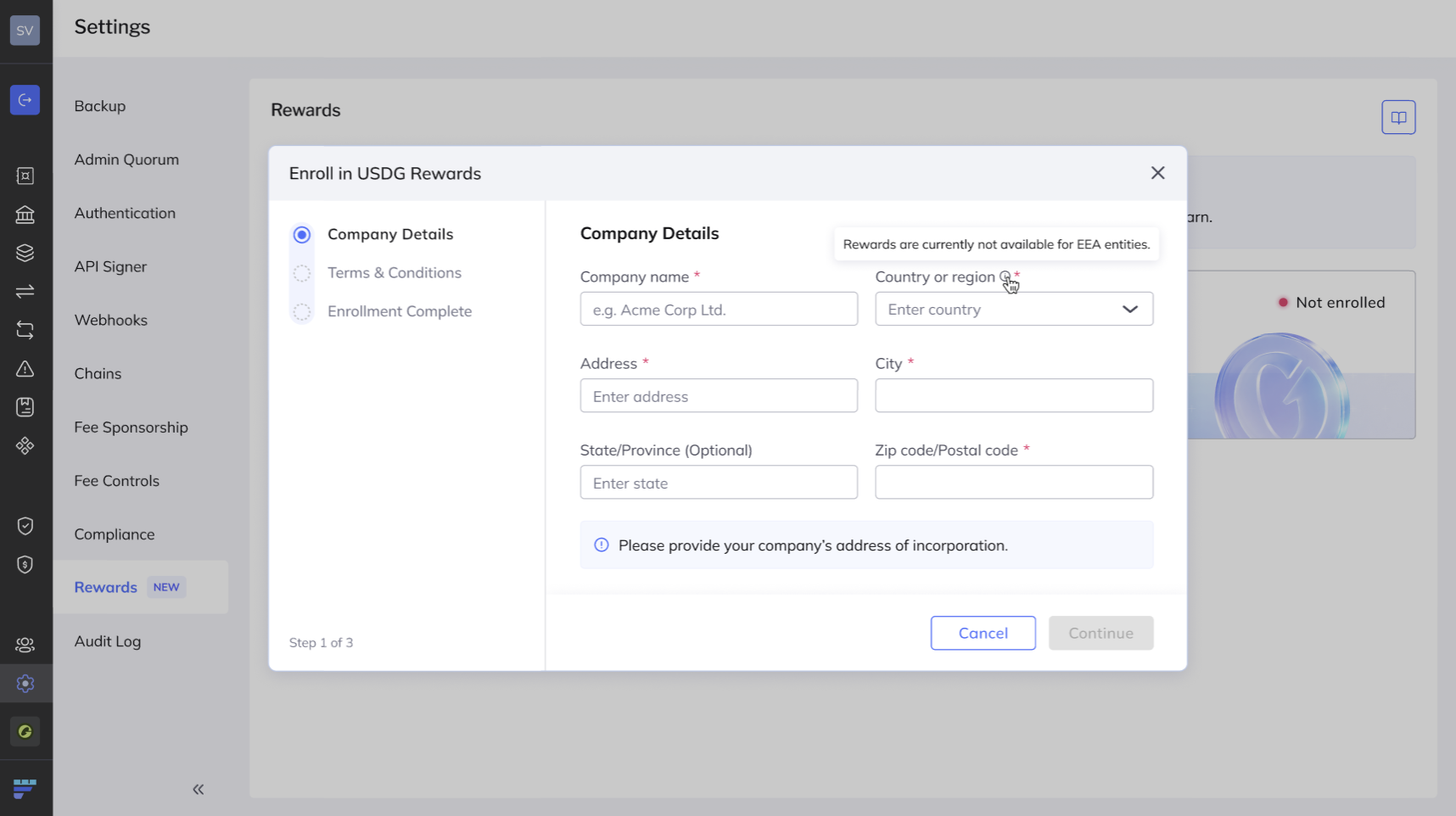
Enter your organization's legal entity name and registered address. These must match the entity your organization uses to contract with Fordefi. Check eligibility.
Review the Terms & Conditions, then select I agree to the Terms & Conditions to acknowledge them.
Click Confirm to finish.
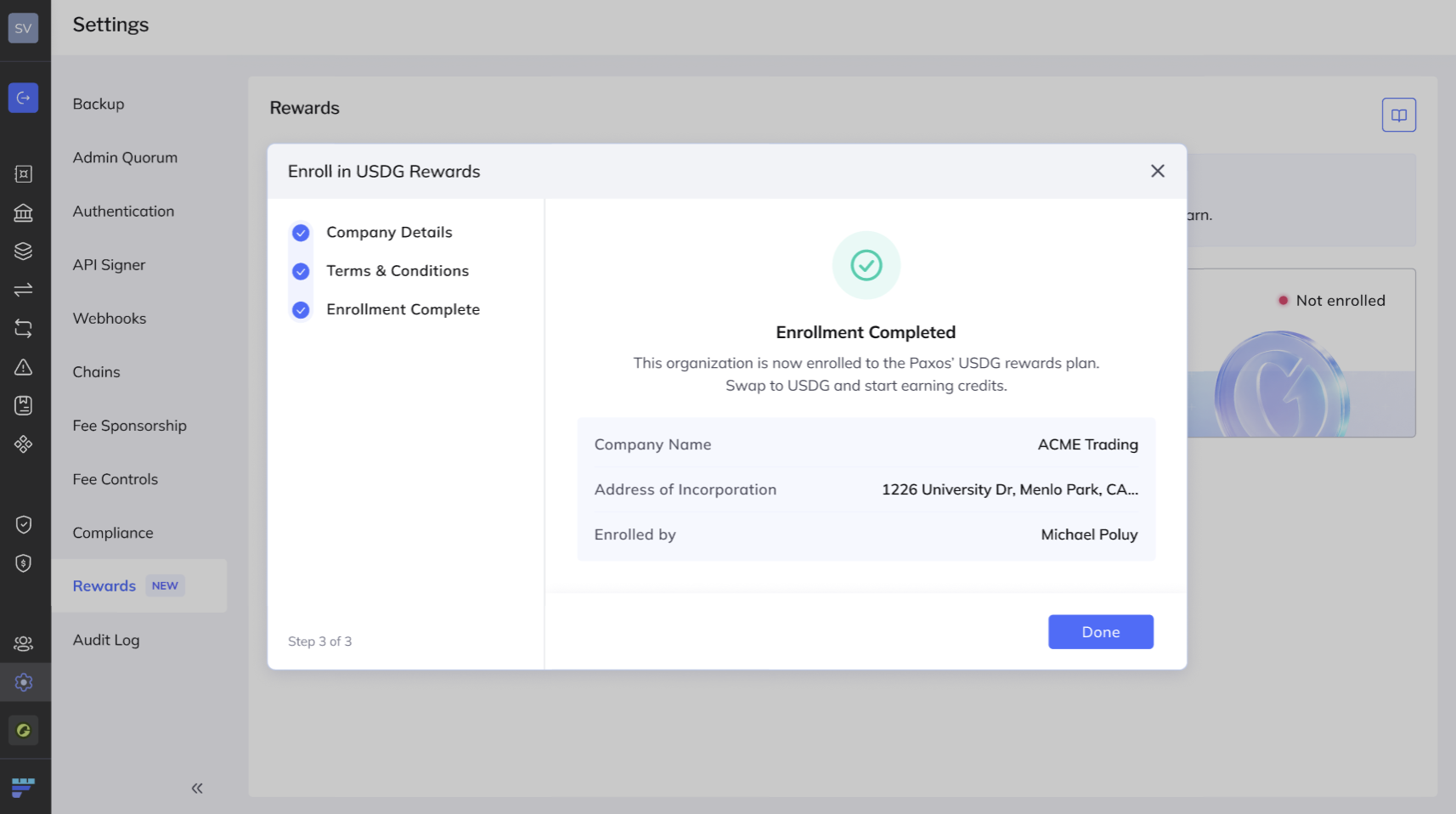
Your eligible vaults are registered automatically, and rewards begin accruing on the USDG you hold.