Back up an organization's private keys using key shareholders' recovery phrases.
Learn more about multi-party computation (MPC) in Fordefi.
The backup process is performed in two phases:
- In the Fordefi web console: You select the key share holders and backup email.
- On admins' mobile devices: The designated admins generate recovery phrases and share them.
In the side menu, click Settings, then click the Backup tab.
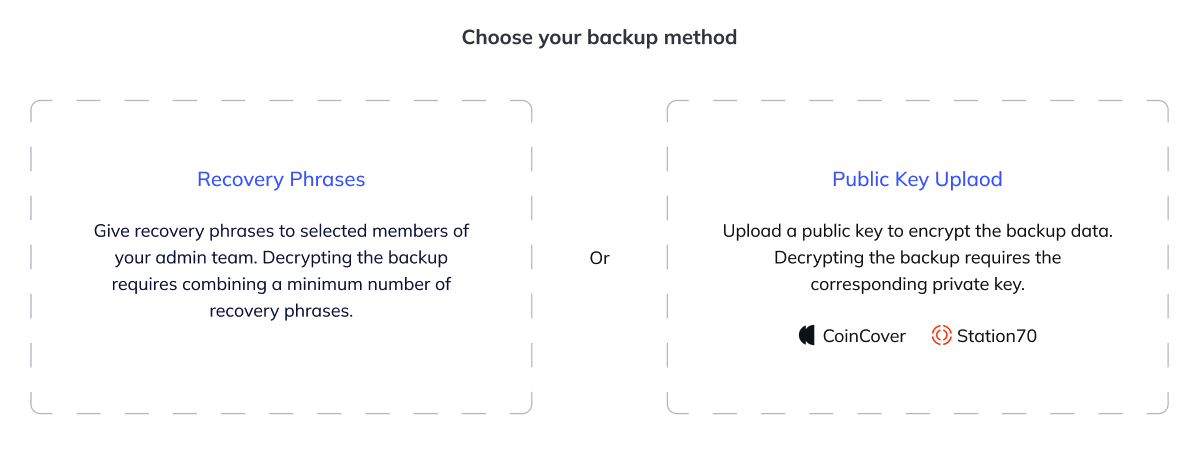
Choose Recovery Phrases as your backup method.
In the first phase of the backup creation, assign admins as recovery key holders and specify the minimum number required to decrypt the backup. For example,
2 of John June, Jane Doe, Joe Bee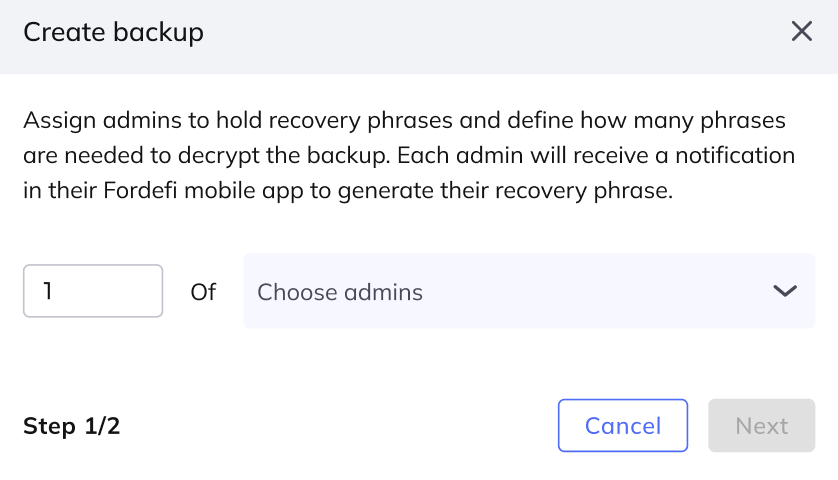
Click Next.
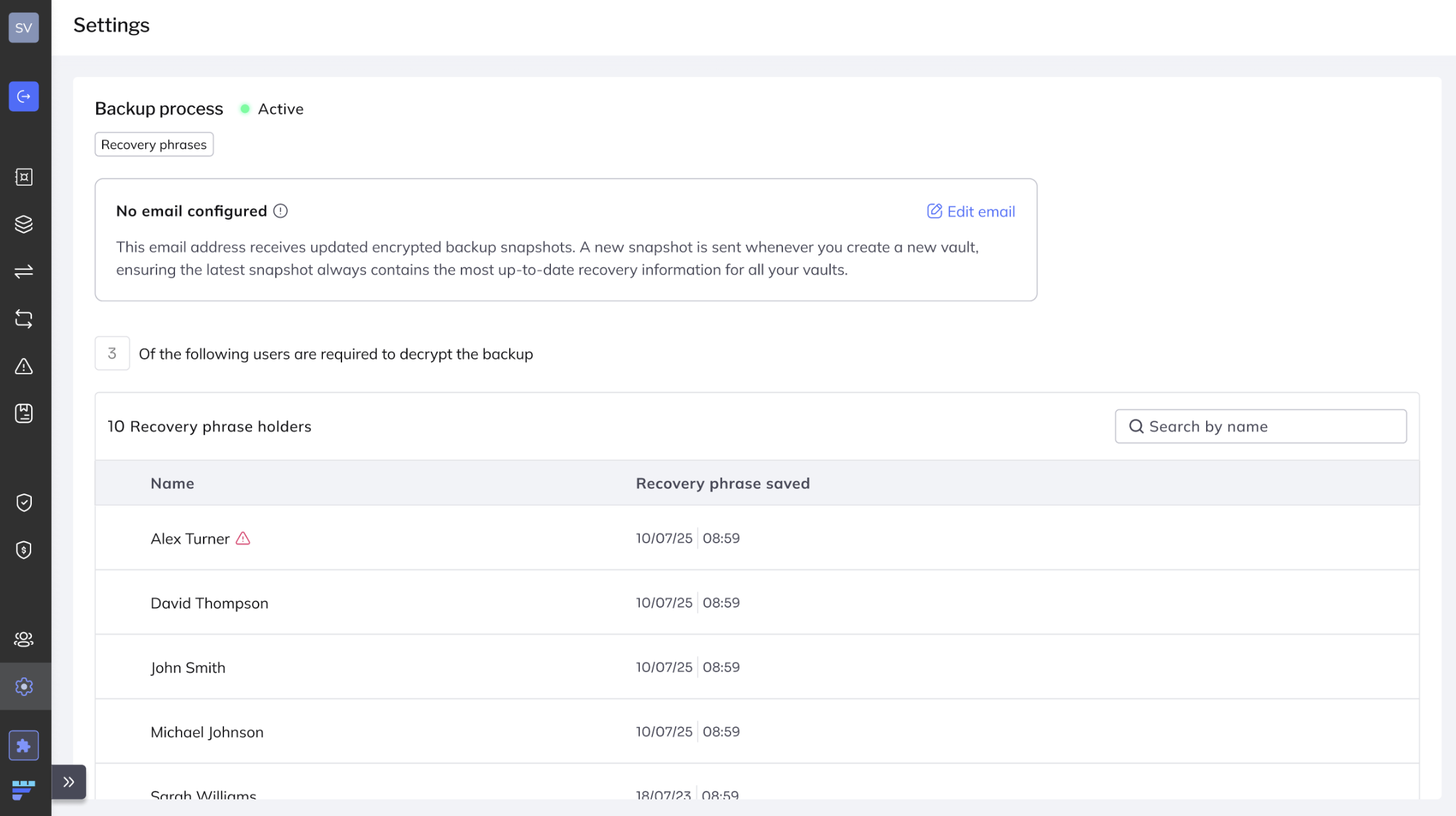
Specify an email address to receive encrypted backup snapshots. Click Edit email.
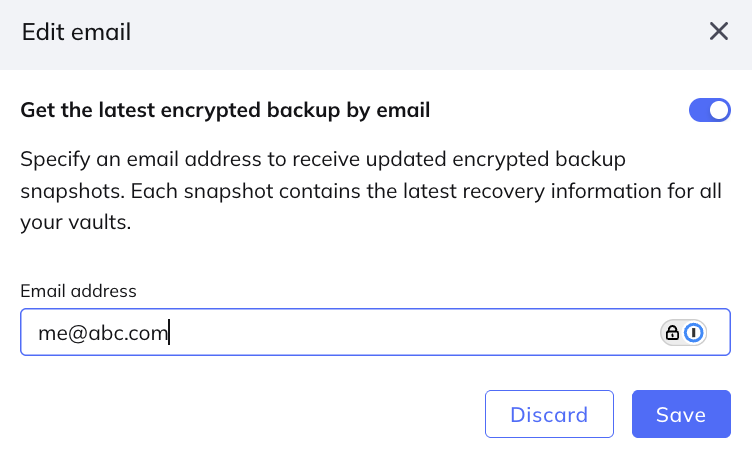
You can choose whether or not the system sends you backup snaphots by email.
- To opt in, toggle on Get the latest encrypted backup by email, then specify the email address of the person who will receive the backup.
- To opt out, toggle off Get the latest encrypted backup by email.
Click Save.
Manually download backupIf you have opted out, no encrypted backups are sent by email. You can still download the latest backup snapshot at any time by selecting Settings > Backup in the Fordefi web console.
Click Initiate backup process.
At the conclusion of the process, an updated backup snapshot of the metadata and an encrypted copy of the organization's private keys will be sent as a .json file to the backup email address.
Opening the .json file requires the combined recovery phrase of the designated admins.
To continue the backup process, each of the designated admins must do the following in the Fordefi mobile app.
Go to Management > Inbox.
Tap Backup request to view the backup details.
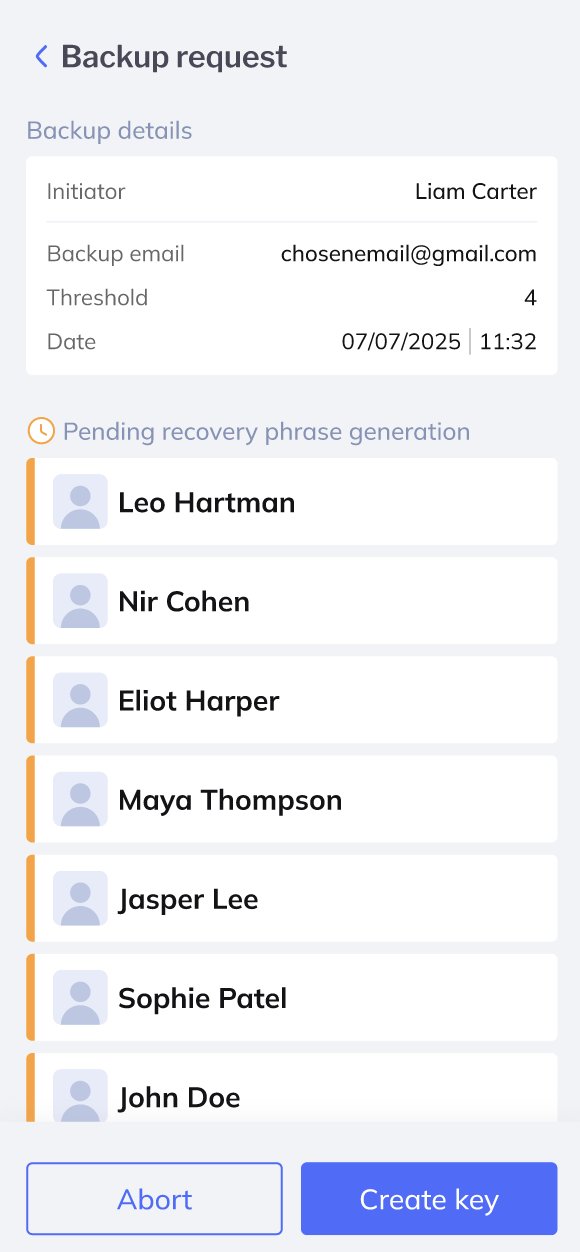
Tap Create key.
The designated admins receive a recovery phrase comprising 12 random words that are displayed in a numbered list. Something like this:
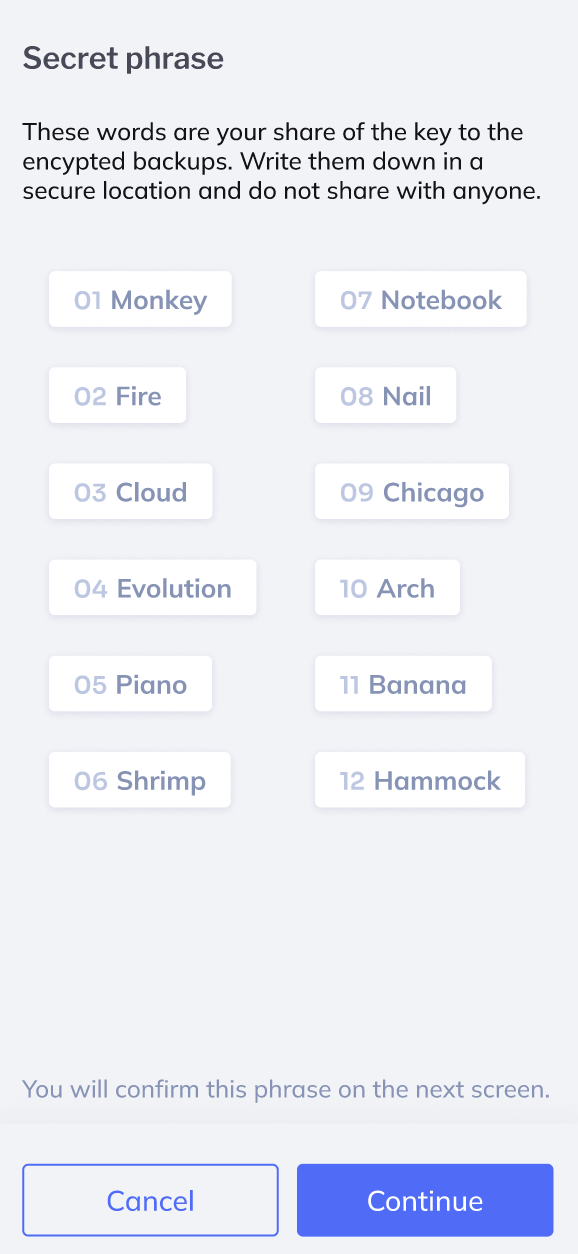
- Each admin receives a unique recovery phrase.
- The designated admins should write down the recovery phrases in the correct order.
- The recovery phrases should be stored in a secure location and not shared with anyone.
Click Continue.
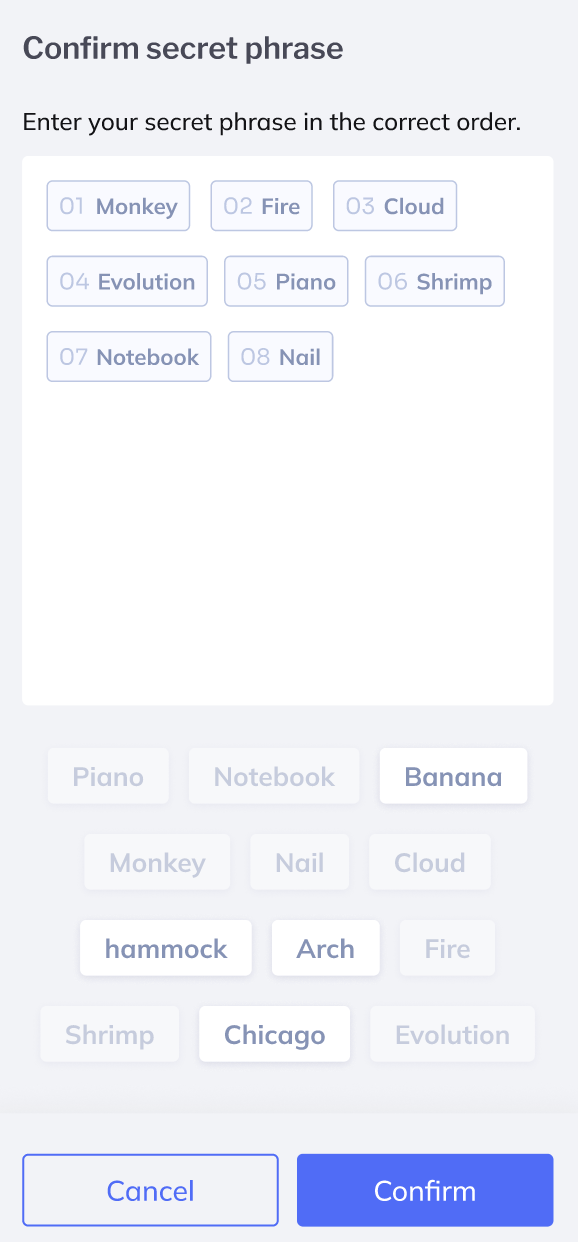
In the window that is displayed, enter the recovery phrase in the correct order, and click Confirm.
When all the designated admins complete the process, the following occurs:
A message informs the designated admins that a backup key has been successfully shared.
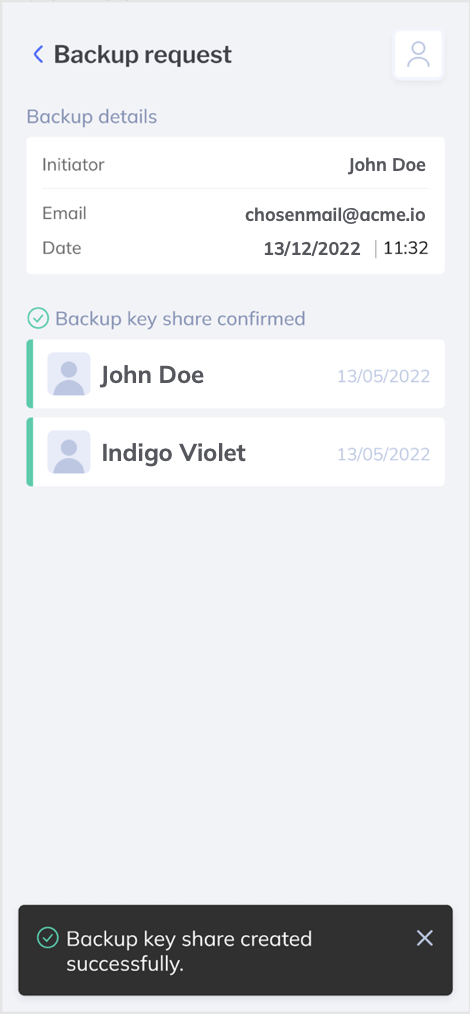
An updated backup snapshot of the metadata, and an encrypted copy of the organization's private key is sent as a .json file to the backup email address.
Opening the .json file requires the combined recovery phrase of the designated admins.
- Do not share a recovery phrase with anyone.
- Store the recovery phrase in a secure location.