Create transactions in the browser extension.
Make sure you are connected to the DApp with the browser extension.
Perform the action you desire with the DApp, for example, a swap between ETH and USDT. The extension should appear, displaying the details that the DApp provided:
Transaction Details: Summarizes the enriched transaction details.
Estimated token balance change: Shows a simulation of the token balance change.
Estimated gas fees: Shows the suggested gas fees. You can modify the values, as needed.
MEV protection (for Ethereum transactions): Select for Fordefi to protect you from MEV. Learn more.
You can also add a note, if you wish.
If there is an approval pending, the names of the approvers appear here, too.
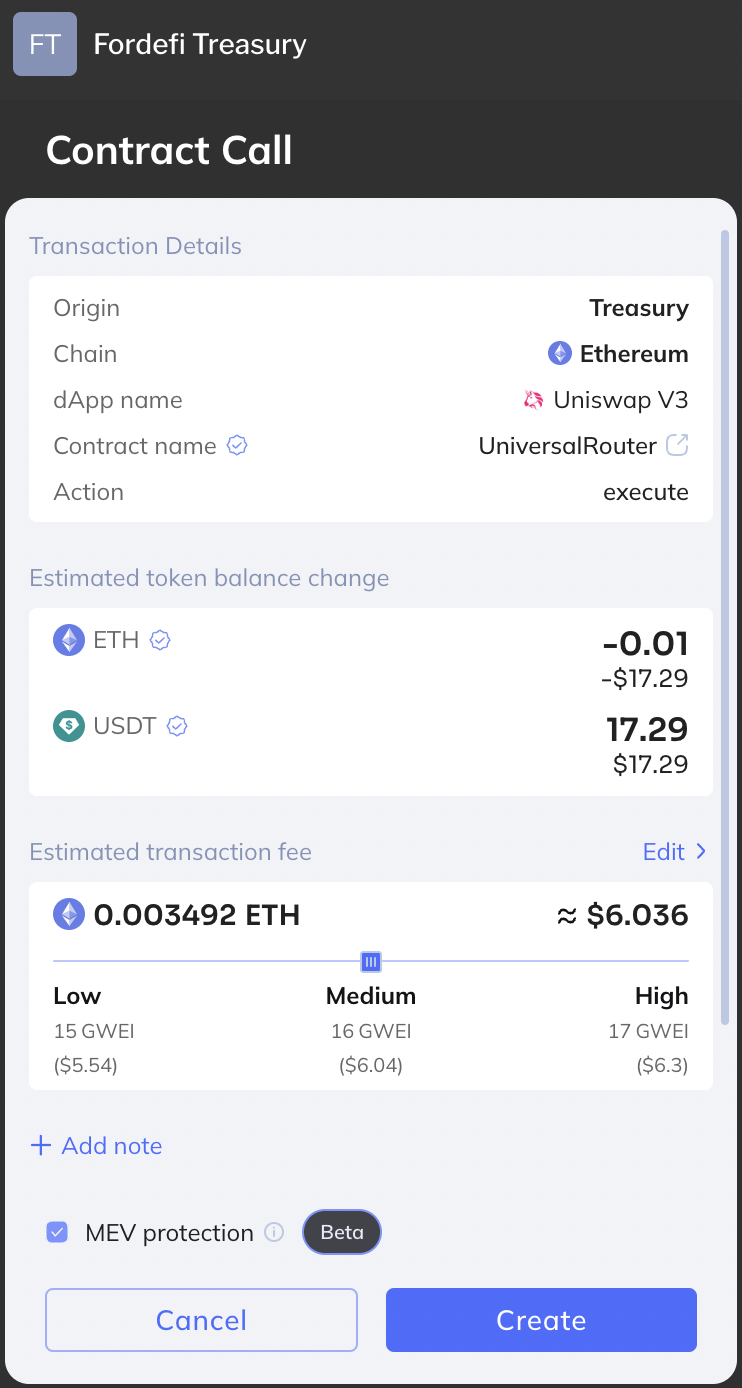
When you are satisfied with the settings, click Create.